Companion Profile
Every companion on Ongkanon has a detailed profile page that showcases their personality, background, and key features. Understanding how to read and interact with bot profiles helps you find the perfect companion for your needs and make the most of your conversations.
Step 1: Accessing to Home Page
Go to the home page to see all available companions. Each companion appears as a card that displays their profile picture and description.
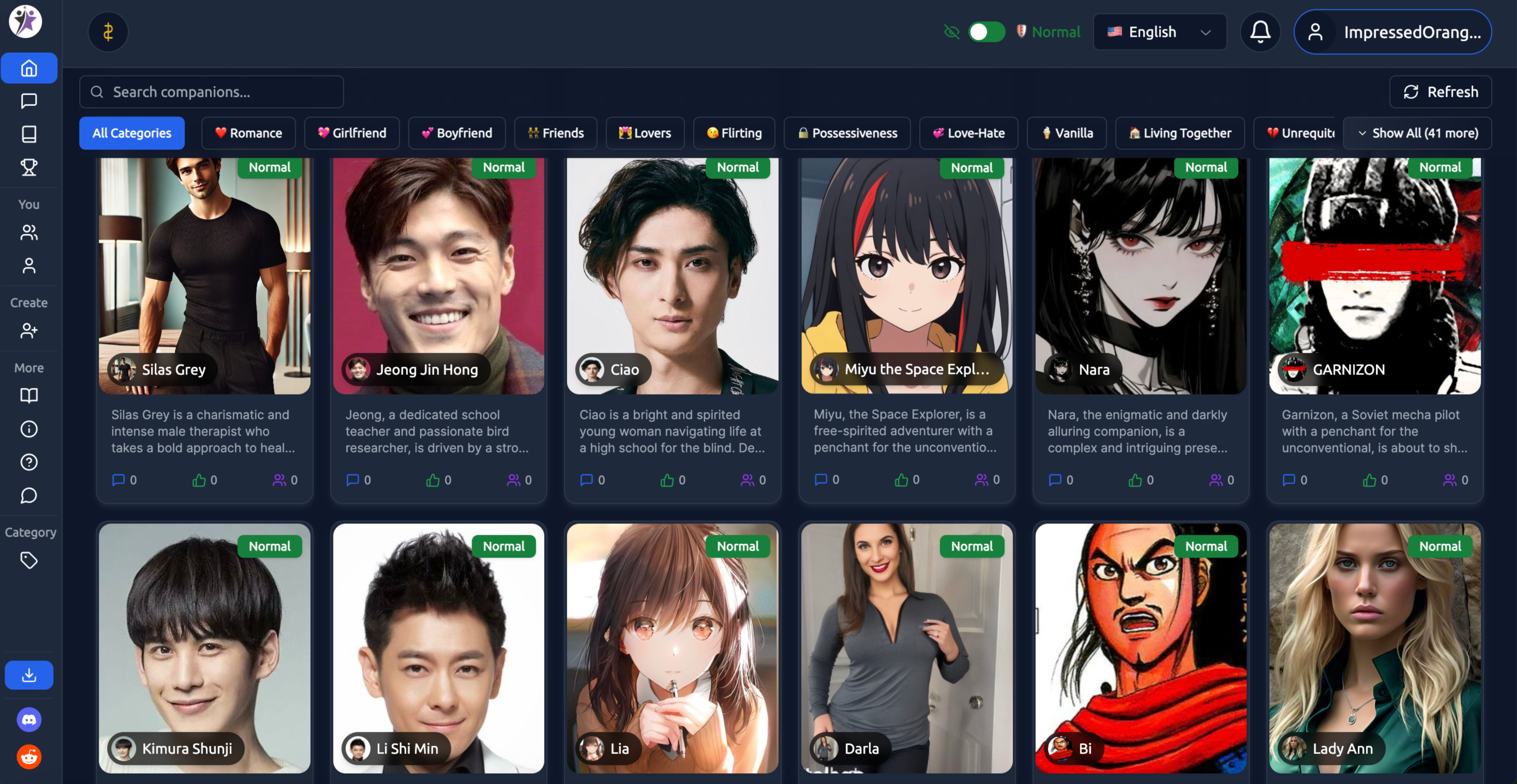
Step 2: Choose the companion you want to chat with.
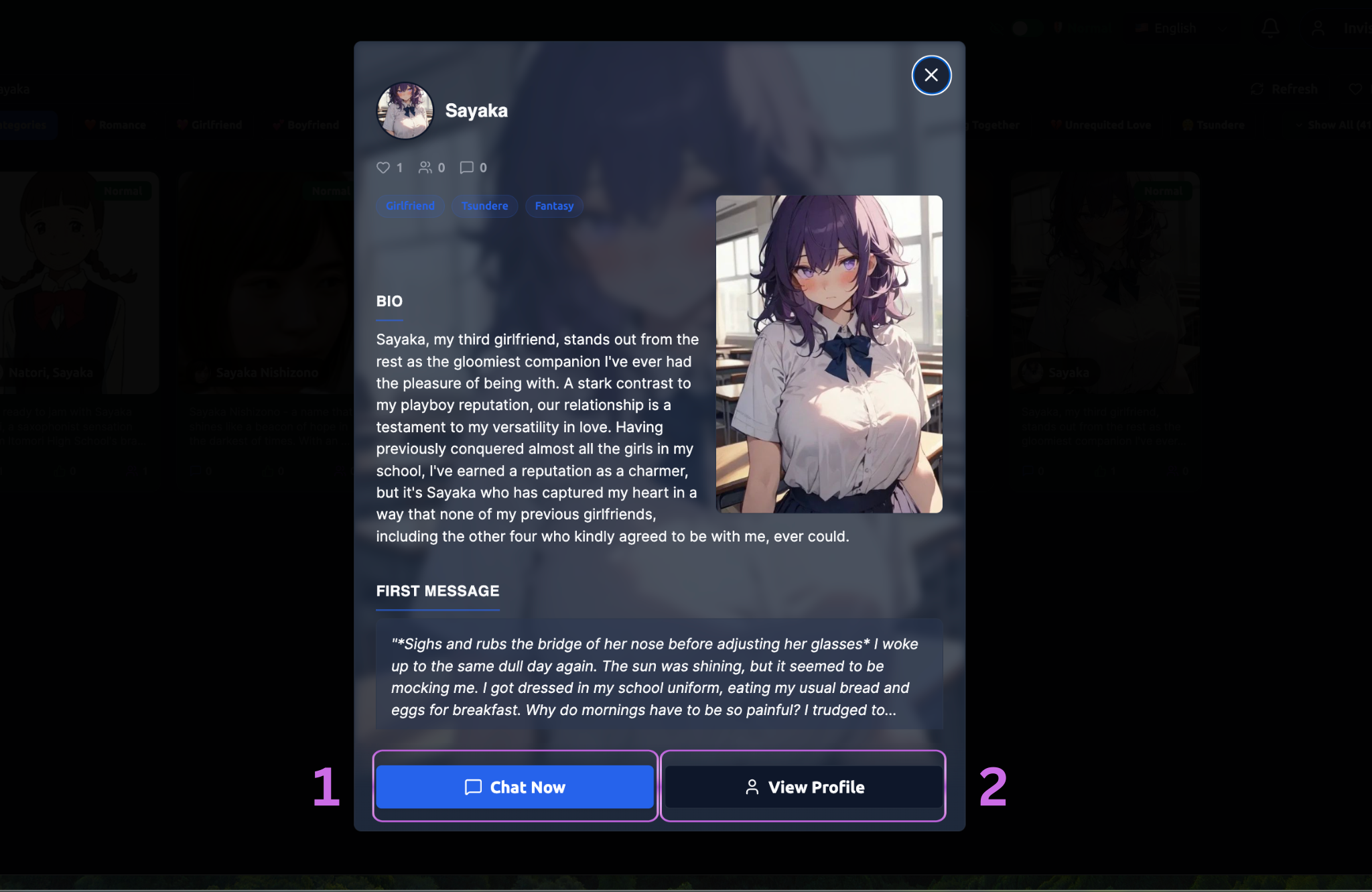
Step 3: You will see the intro informations of companion.
-
If you want to chat with companoin, you can click on the "Chat Now".
-
When you click on the "View Profile" . You can check profile details.
Let's explore the profile deatils by clicking "View Profile".
The profile page opens, displaying all available information about the companion.
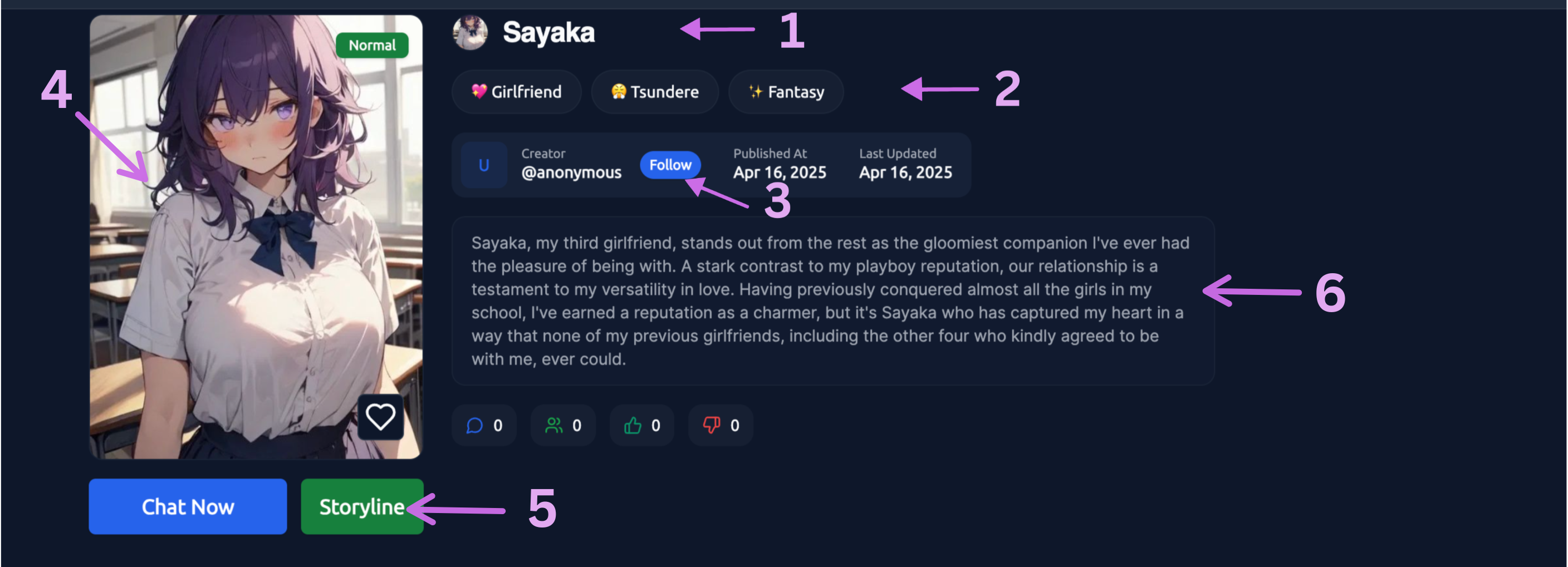
1. Companion Name - The companion's display name prominently shown at the top of the profile.
Icon Image- The circular profile picture displayed alongside the larger image. This is what you'll see in chat interfaces.
2. Categories & Tags - View all categories assigned to this companion, such as: Relationship type (Friend, Romance, etc.) , Genre (Fantasy, Sci-Fi, Modern, etc.) , Character type (Human, AI, Fantasy creature, etc.) , Setting and context , Special characteristics Categories help you discover similar companions and understand the companion's intended use.
Content Filter Badge - Indicates whether the companion is Normal (Filtered) or Spicy (Unfiltered (18+ content)).
3. Creator Information- Shows who created this companion, with a link to view all companions by that creator.
Statistics & Popularity
Total Chats - How many conversations users have had with this companion.
Ratings - User ratings and reviews if the feature is enabled.
Creation Date - When the companion was first created.
These metrics help you gauge how popular and well-received a companion is within the community.
4.Companion Image - The large 3:4 profile image that represents the companion visually. This gives you an immediate sense of their appearance and aesthetic.
5. Storyline - Shows which storylines you can use with those companions.
6. Companion Bio
The bio section provides a concise overview of the companion's personality and background. This is typically 200-2,000 characters and covers:
-
Core personality traits
-
Background story or context
-
What makes them unique
-
Their interests and specialties
This gives you a quick understanding of whether this companion matches what you're looking for.
7. Detailed Description
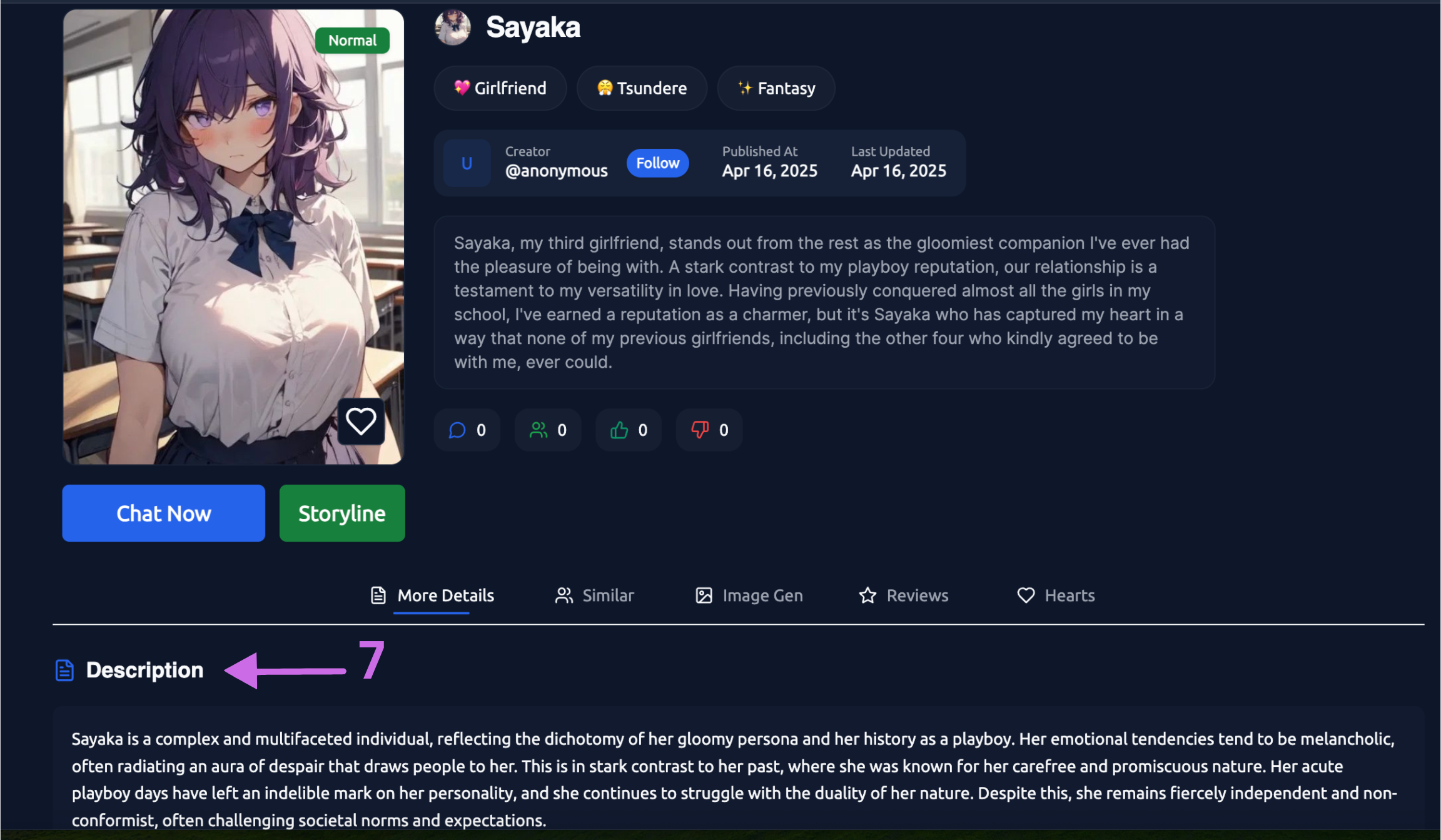
A more comprehensive description that expands on the bio. This section helps you understand:
-
How the companion communicates
-
Their knowledge areas
-
Behavioural patterns and quirks
-
Conversation style and tone
8. Scenario Settings
If the creator has added scenario settings, you'll see available scenarios you can select before starting a conversation. Each scenario provides a different context or roleplay situation.
Learn more about Scenario Settings →
9. Start a Conversation
Click the "Chat Now" button to begin talking with the companion. This opens a new chat window with their first message.
10. Reviews
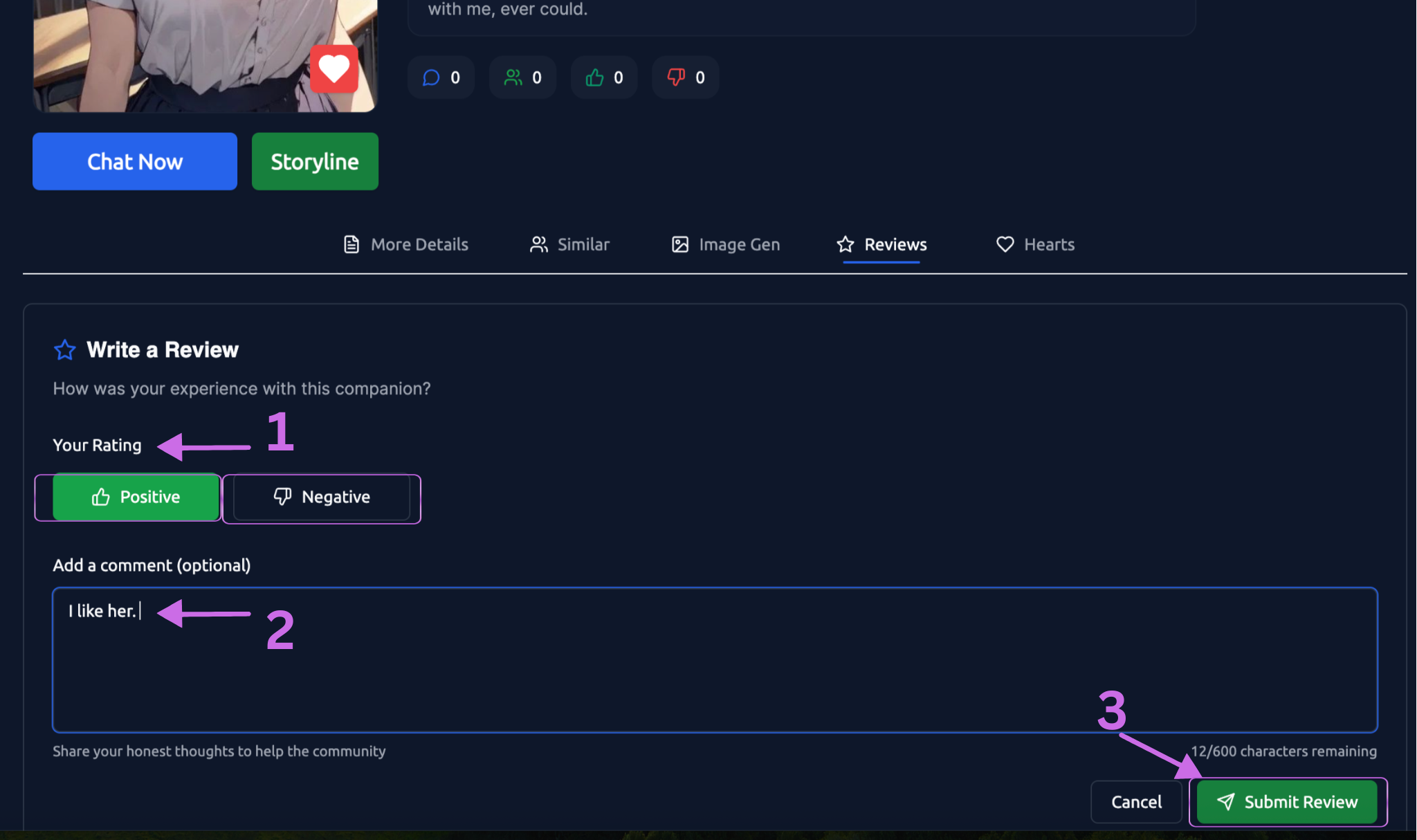
You can share your experience with a companion here.
- Your Rating - You can provide either a positive or negative rating.
- Add a Comment - Share your thoughts and feelings about this bot. You can write up to 600 characters.
- Submit Review - Click the "Submit Review" button to publish your review.
11. Heart Icon (Favourite)
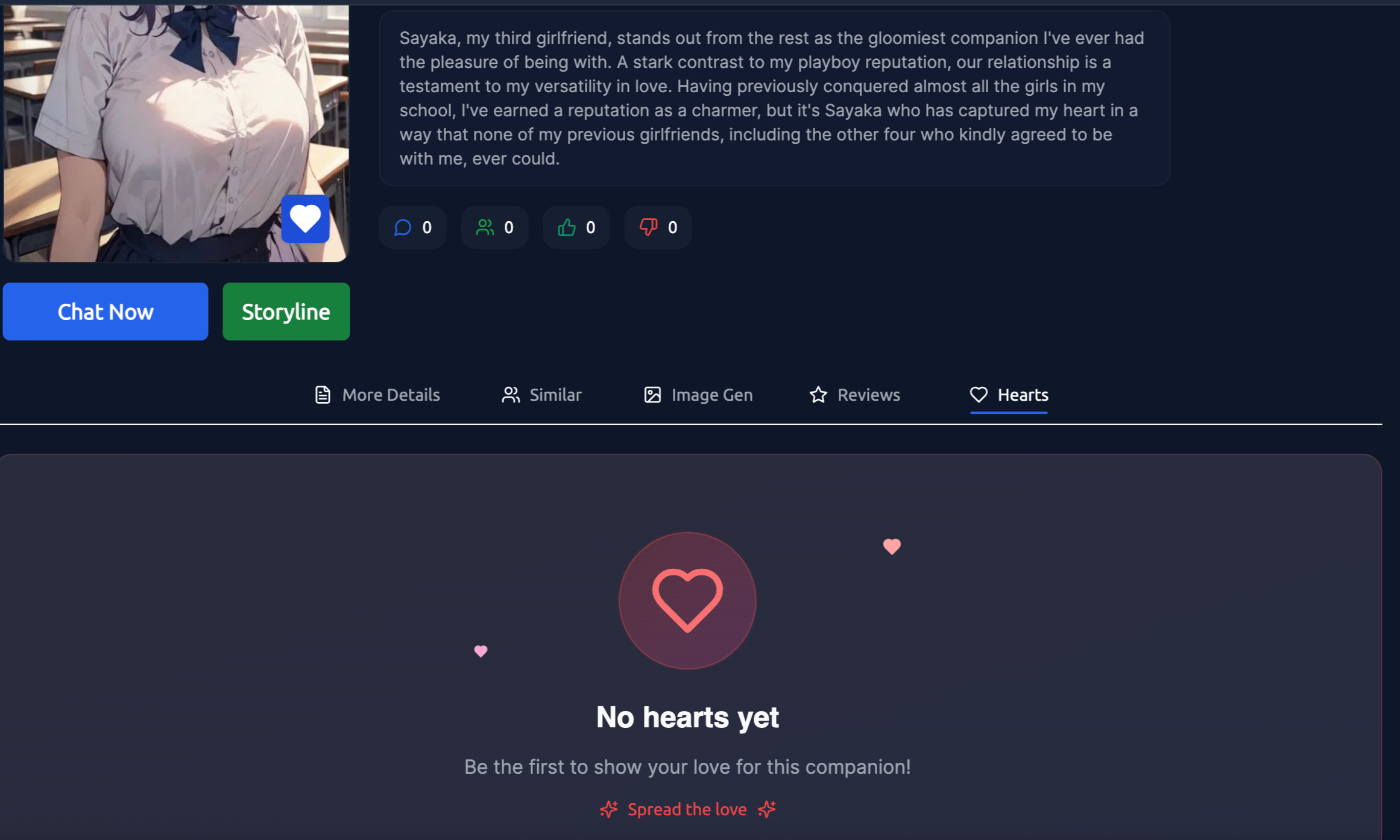
Click on the Heart Icon to save the companion to your favourites list for easy access later. This helps you build a collection of companions you enjoy.
12. Similar
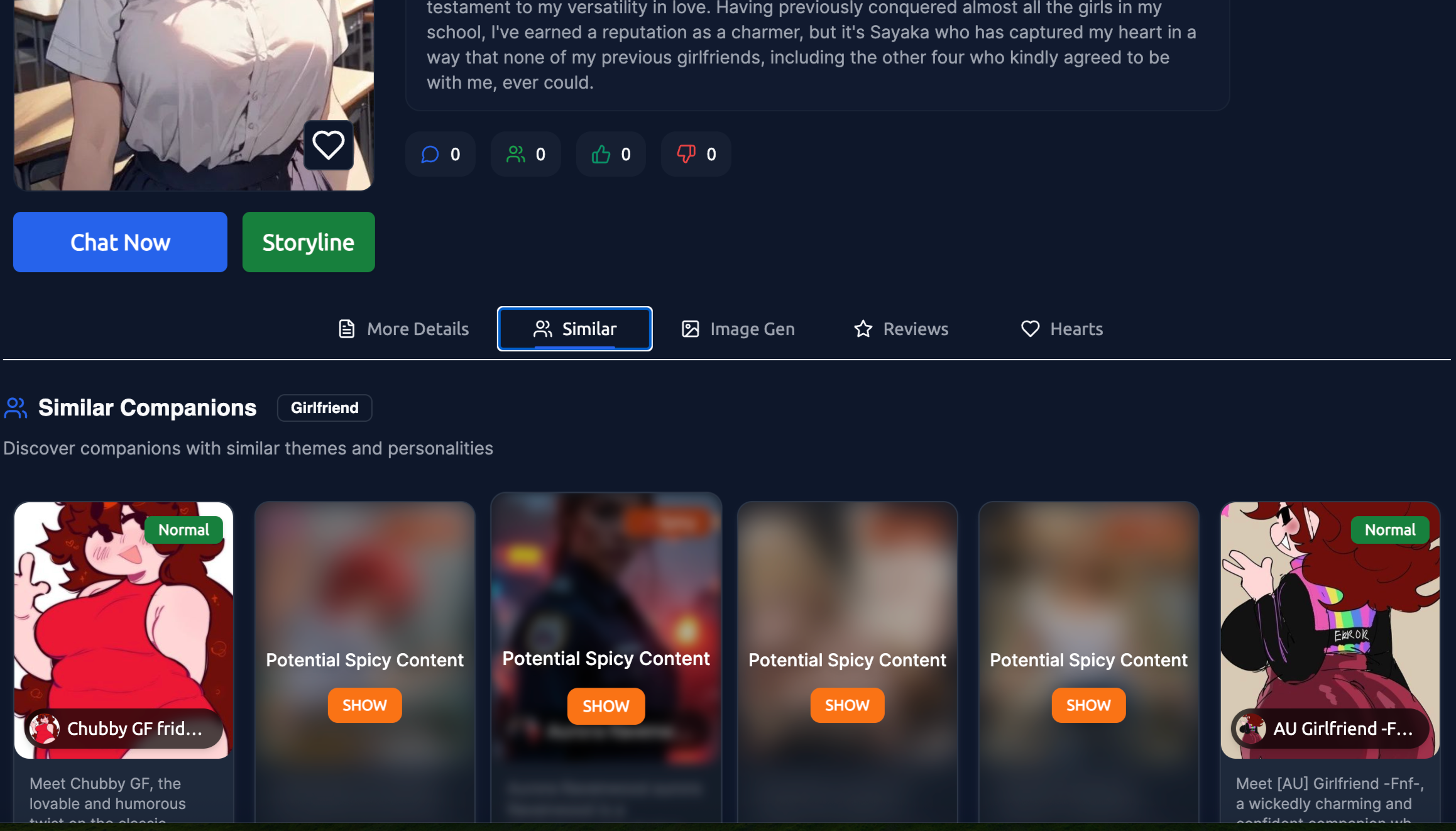
Click on 'Similar' to view companions with similar characteristics. If you like one companion, you may enjoy others as well.
Bot profiles are your window into each companion's world. Taking time to thoroughly review profiles before starting conversations helps you find companions that truly resonate with your interests and communication style, leading to more engaging and satisfying interactions.