Scenarios
Scenarios are customizable story guidelines that shape how your AI companion interacts with you during conversations. A Scenario serves as the foundational blueprint for your AI roleplay conversations.
Scenarios transform generic chats into immersive experiences. Whether you’re creating a fantasy adventure, a professional mentorship session, or a specific social situation, Scenarios ensure your AI companion stays in character and maintains consistency throughout your conversation. The Scenarios feature gives you complete creative control over your AI roleplay sessions.
Step-by-step How to create Scenarios
Step 1 : Visit the Create Your AI Companion page.
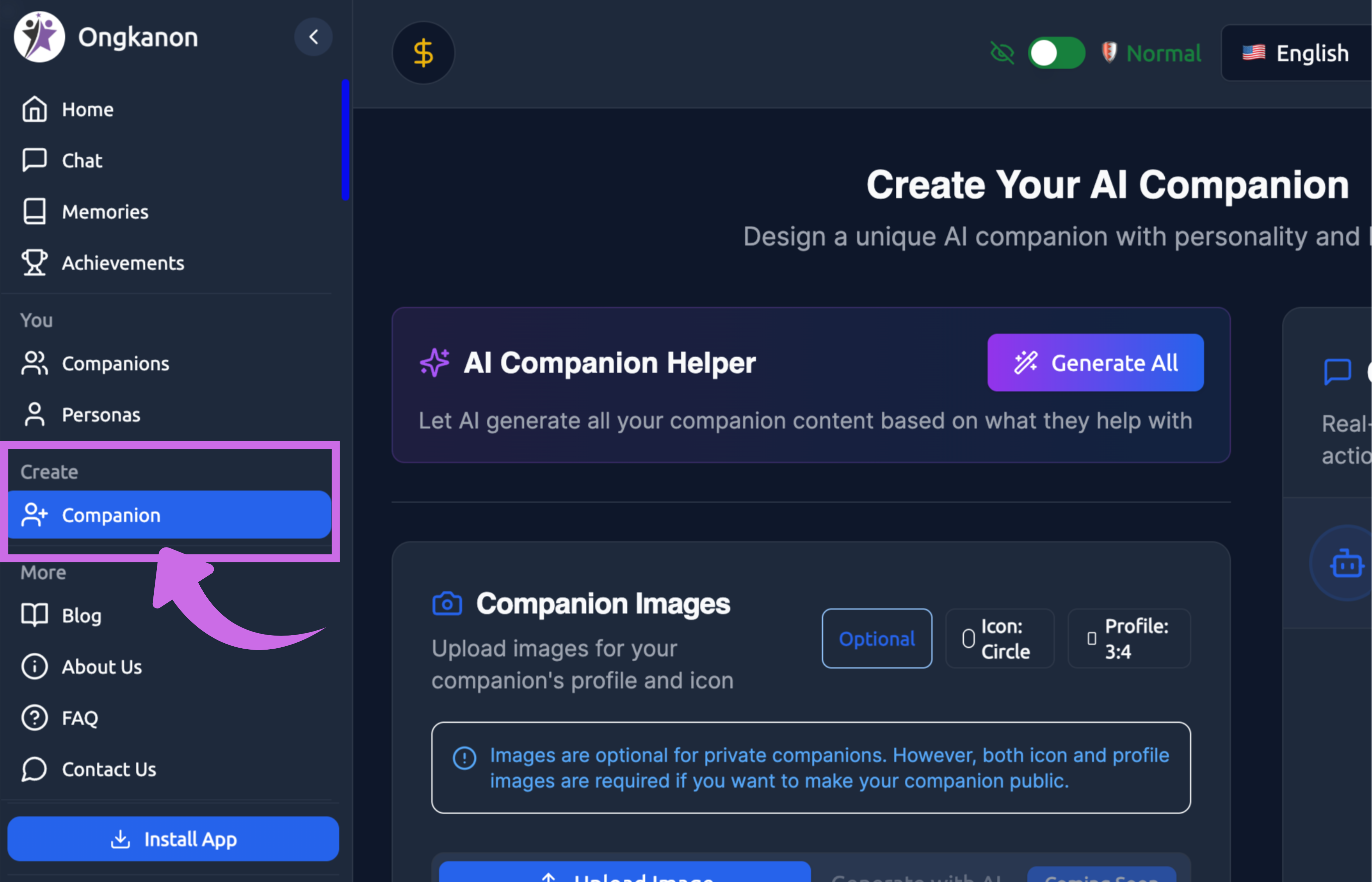
Step 2: Scroll down to the Optional Settings.
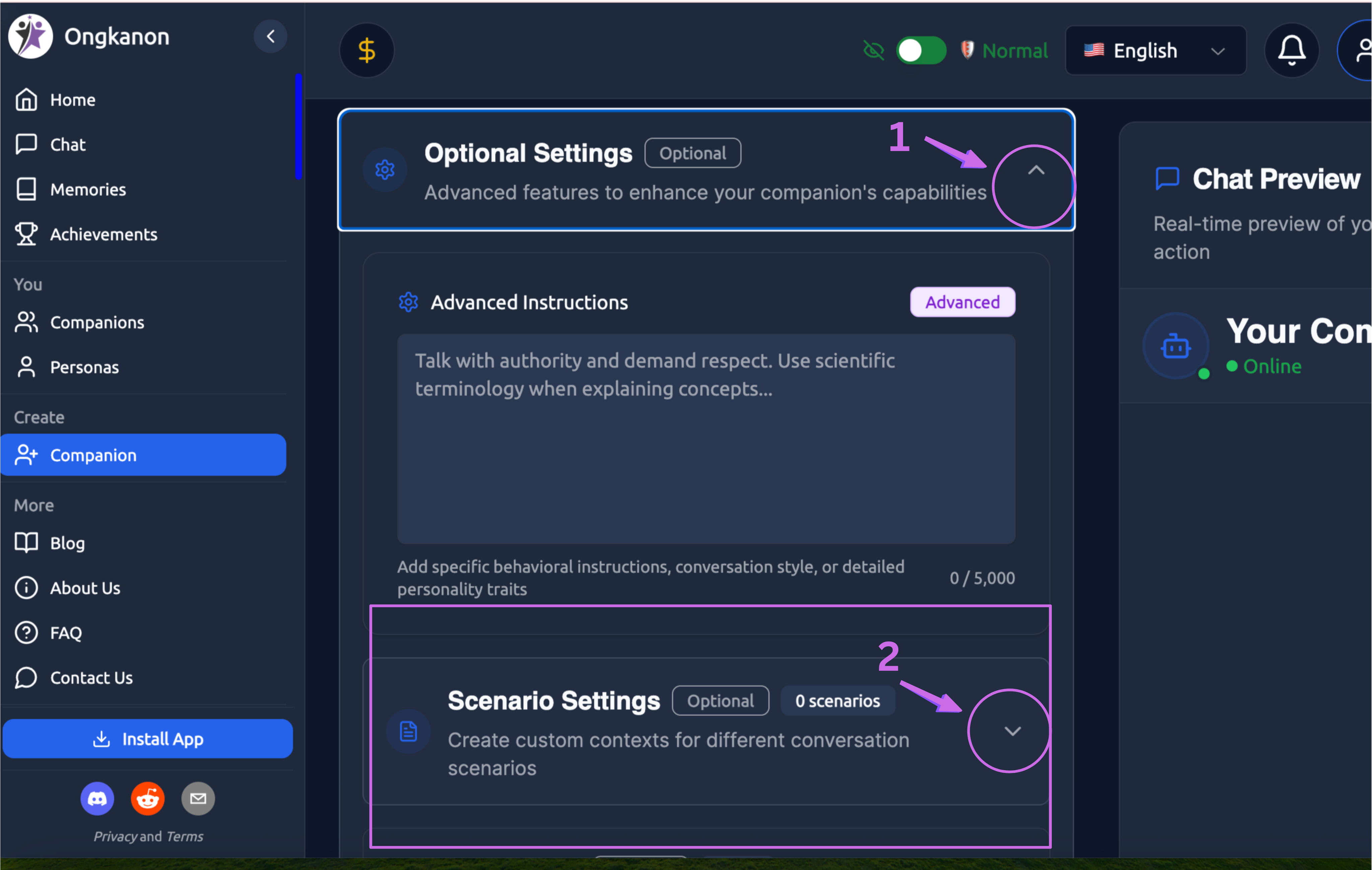
Click on Button "1" of Optional Settings as shown in the image.
Then, click on Button "2" of Scenario Setting.
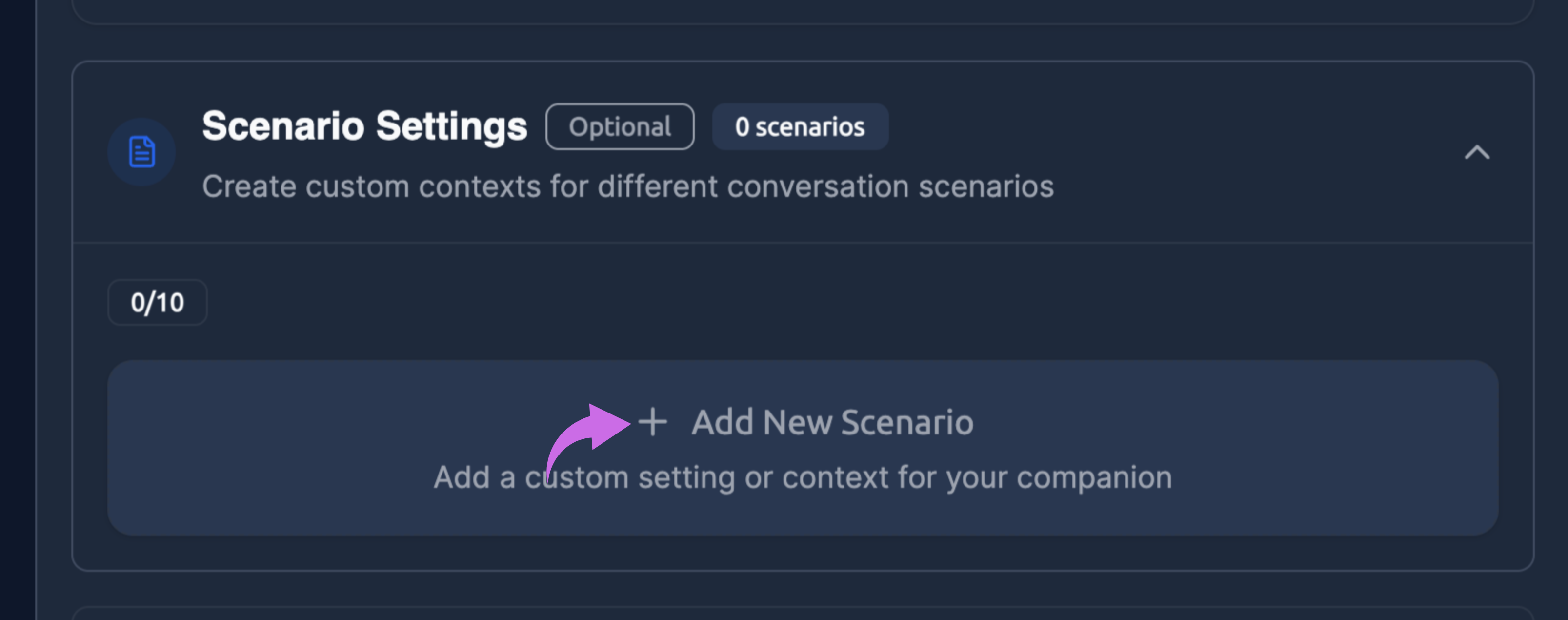
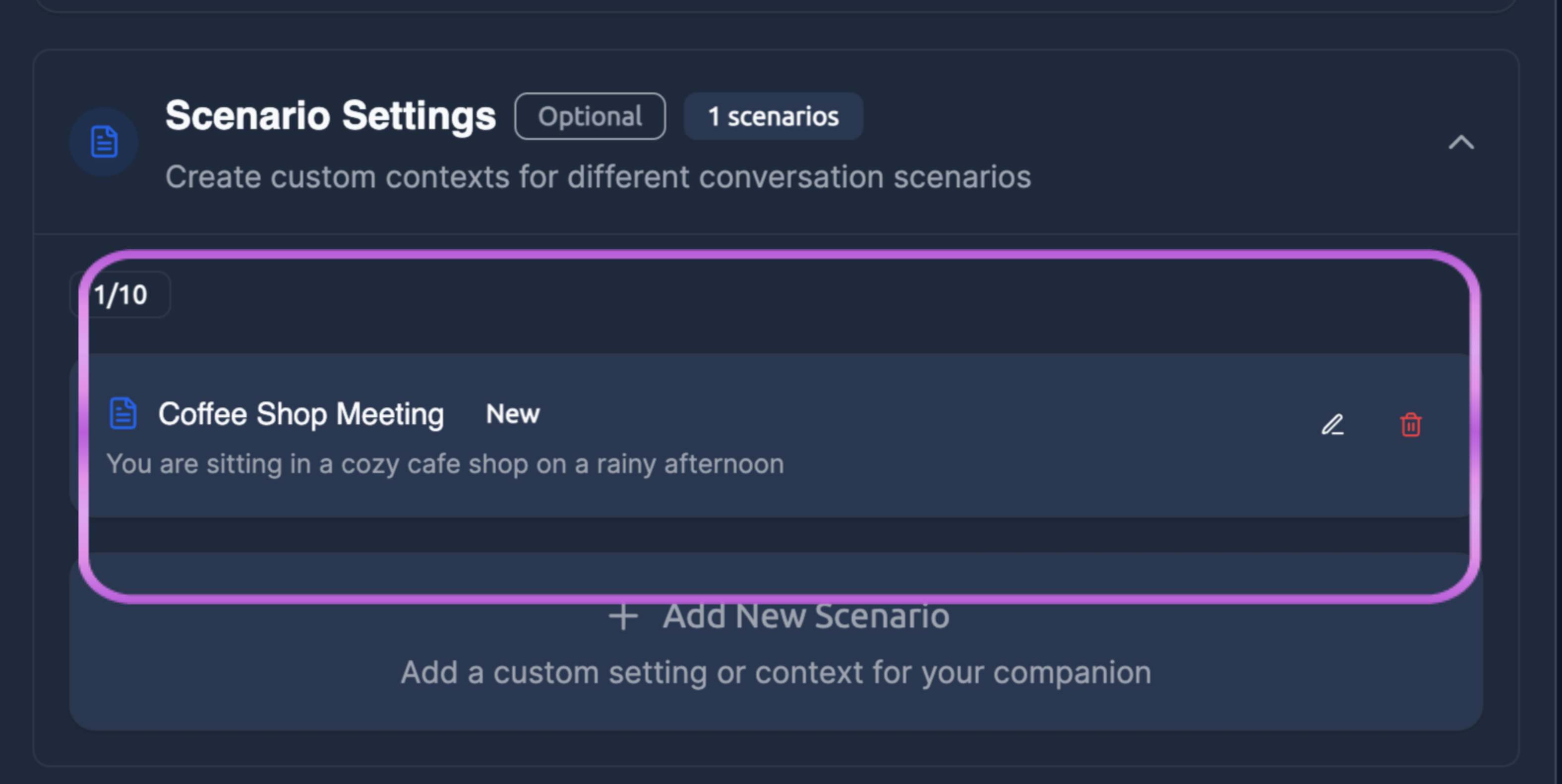
Step 3: Click on "+ Add New Scenarios” to create a customised setting or context for your companion.
Step 4: Check the Create New Scenario.
Start by conceptualising the type of interaction you want to have. Consider your goals for the conversation—are you seeking entertainment, creative writing assistance, emotional support within a specific context, or exploration of particular social dynamics?
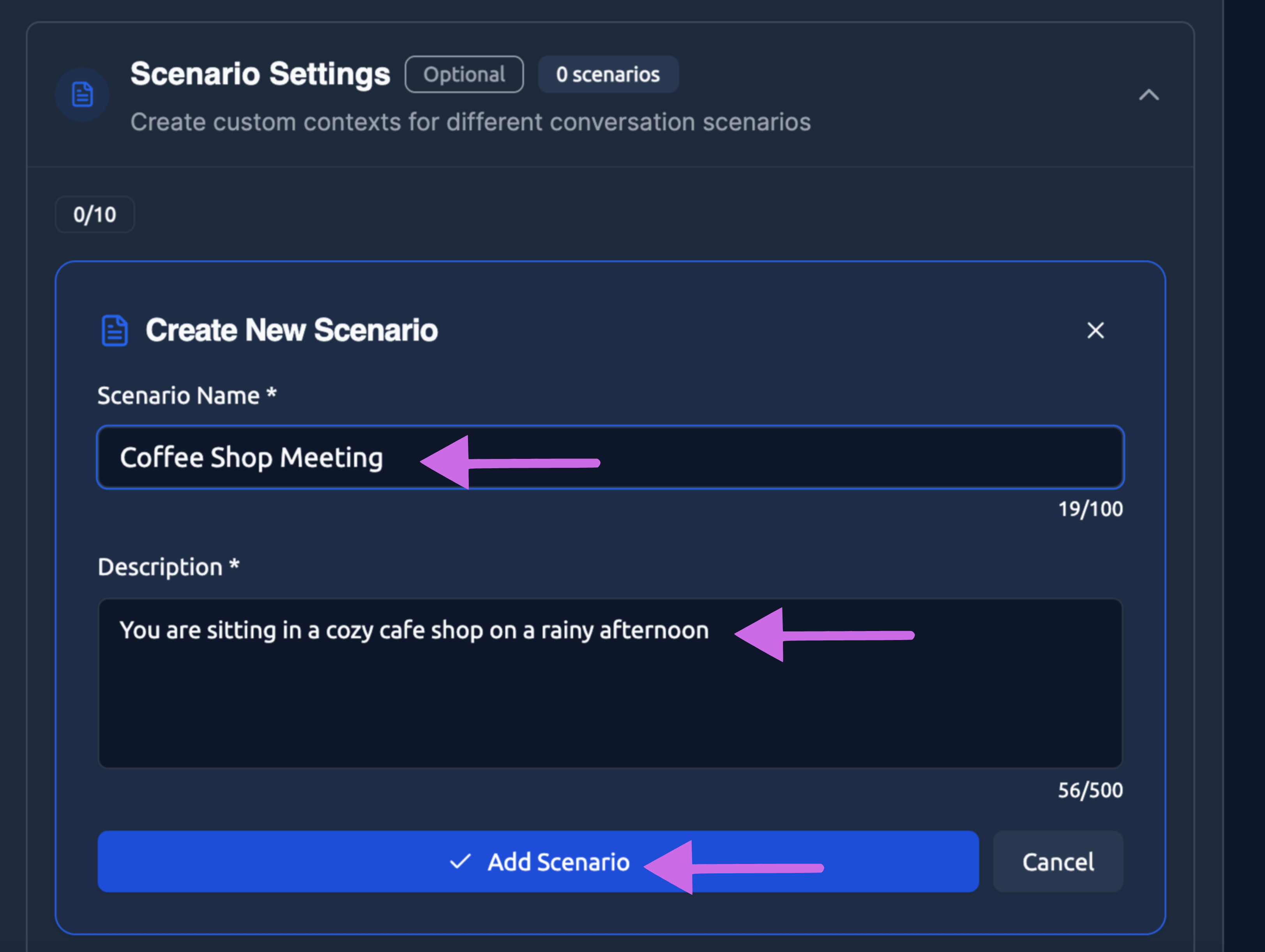
Scenario Name: Choose a clear, descriptive Scenario Name that captures the essence of your setup. The Scenario Name field accepts up to 100 characters and serves as the identifier for your Scenario. Choose descriptive, memorable names that clearly indicate the nature of the roleplay situation. Your name should help you quickly recognise the Scenario later when selecting from multiple options.
Example of Scenario name includes “Coffee Shop Meeting”
Description: The Scenario Description is where you define the complete narrative framework for your roleplay. Develop your Scenario Description thoughtfully. Begin with the immediate context—the setting, time period, and circumstances. Establish who the participants are and what relationship they share. Define the tone and atmosphere you want to maintain. Include relevant backstory that informs the interaction without overwhelming the description with unnecessary details.
Here are several key questions to create the Scenario Description: -Where does this interaction take place? -What circumstances brought the participants together? -What roles do the AI companion and user play? -What atmosphere or mood should pervade the conversation? -What limitations or expectations exist within this scenario?
An example of a description includes “You are sitting in a cozy cafe shop on a rainy afternoon.”
Add scenario: After creating a custom “Scenario Name” and “Description,” you can click on “Add Scenario" to complete the setup.
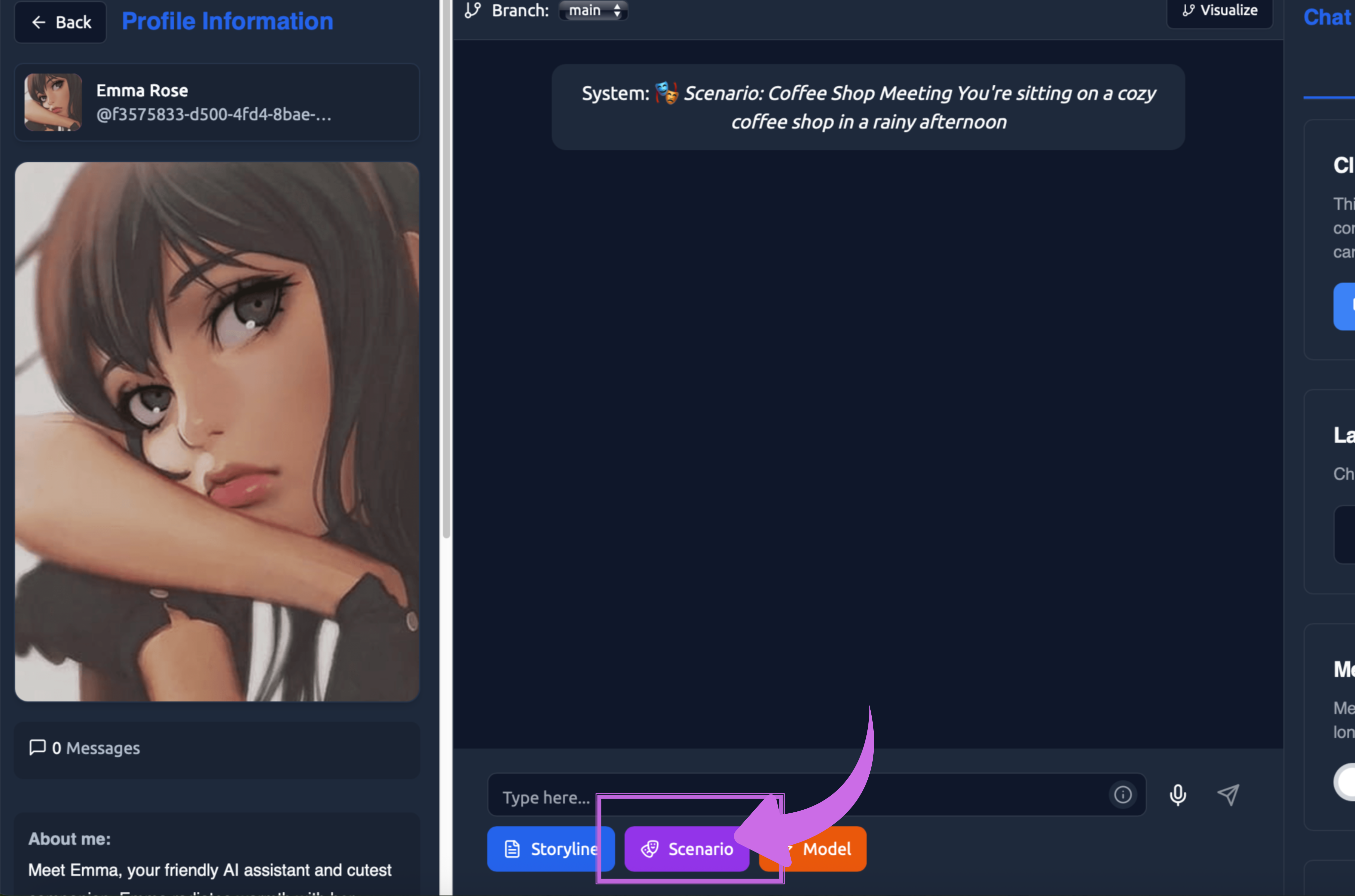
Step 5: When starting a conversation with this bot, click on the Scenarios button to choose Scenarios options in chat.
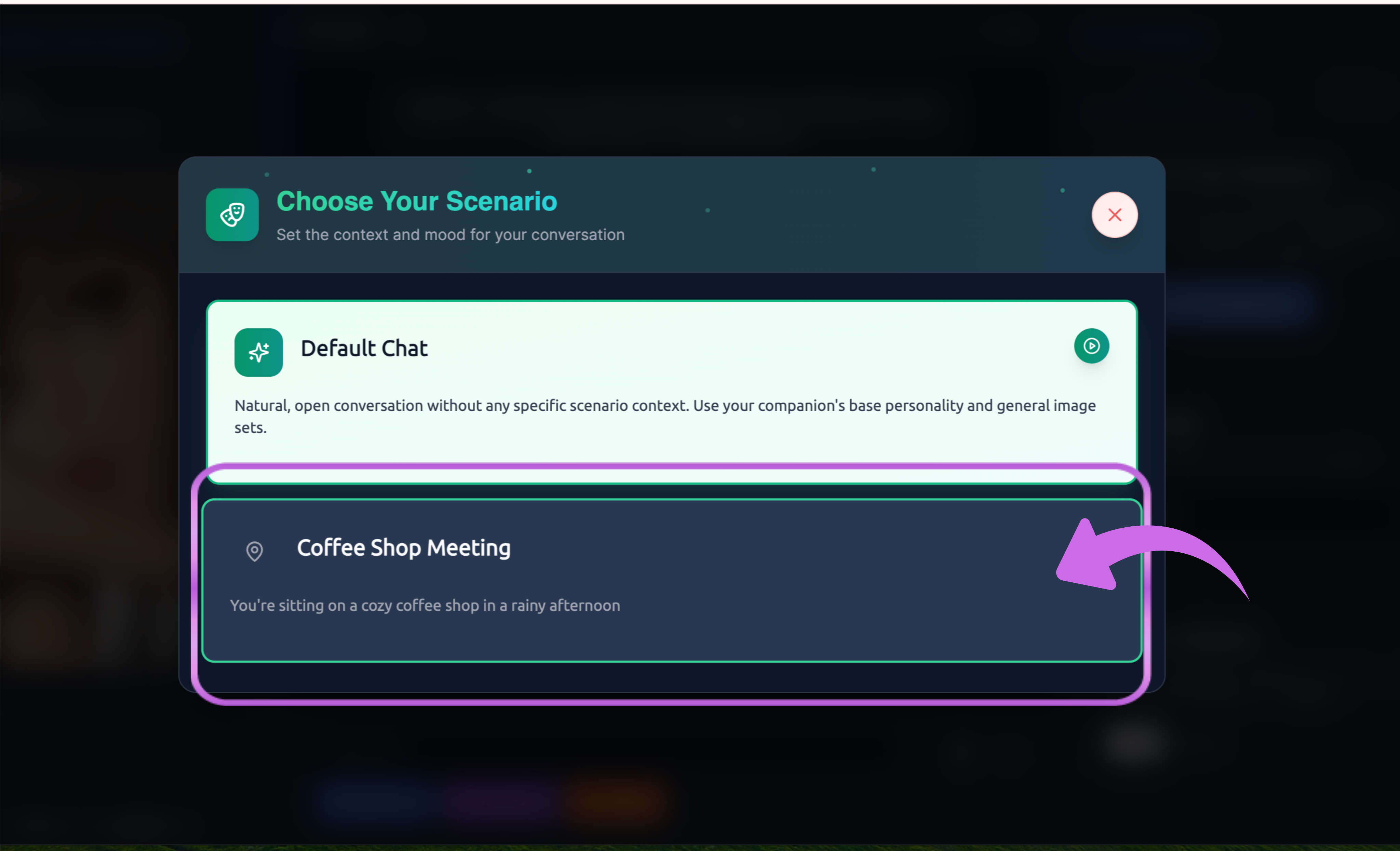
Your available Scenarios appear as selectable options, making it easy to switch contexts between different conversation sessions.
Each Scenario creates a distinct experience, even with the same AI companion. Choose the Scenario that matches your current mood and interests.
Ideas for Creating Custom Scenarios
Building your own Scenarios gives you unlimited creative possibilities. The Ongkanon platform makes Scenario creation straightforward while providing the depth needed for sophisticated roleplay experiences.
Scenario categories and types
Ongkanon offers diverse Scenario categories to help you organize and discover roleplay contexts. These categories span multiple themes and settings, ensuring you can find or create Scenarios matching your interests.
Popular Scenario categories include:
Fantasy and Adventure - Epic quests, magical encounters, mythical settings, and heroic journeys that transport you to imaginative worlds where anything is possible.
Romance and Relationships - Dating scenarios, romantic encounters, relationship development situations, and intimate conversations that explore emotional connections and personal bonds.
Professional and Educational - Workplace situations, mentorship sessions, skill development contexts, and career-oriented interactions that simulate professional environments and learning experiences.
Everyday Life - Casual social situations, daily activities, friendly conversations, and slice-of-life interactions that mirror realistic social dynamics without fantasy elements.
Science Fiction and Futuristic - Space exploration, technological scenarios, dystopian settings, and futuristic contexts that imagine advanced civilizations and speculative situations.
Historical and Period - Time-specific settings from various historical eras, allowing you to experience different periods and cultural contexts through roleplay.
Each category contains pre-made Scenarios you can use immediately, plus the ability to create your own variations. Browse categories to find inspiration for your custom Scenarios or to discover new roleplay possibilities you hadn’t considered.
Maximising your Scenario experience
Scenarios turn Ongkanon chats into immersive experiences by balancing detail and flexibility, establishing clear contexts, and aligning with personalities. Experiment with types, lengths, and specificity to find what works. Whether crafting fantasy or social scenes, Scenarios let you guide AI roleplay as you envision. Start creating to make conversations engaging and purposeful.