Storyline
Storyline is a powerful feature that lets you create structured narrative experiences with your AI companions. Instead of free-form conversations, Story Lines guide interactions through predetermined plot points while still allowing natural dialogue.
What Is Story Line?
Story Line transforms your companion into a guided storytelling experience. You define key plot points, branching paths, and narrative beats that shape how conversations unfold. Your companion follows the story structure while maintaining their unique personality and conversational style.
Think of it as creating an interactive story where your companion is both the narrator and a character. The AI stays true to the narrative you've designed while responding naturally to user input.
Why Use Story Lines?
Consistent Narratives - Keep your companion on track with a coherent story instead of random tangents. Important plot points happen when they should.
Replay Value - With branching paths, users can experience different outcomes based on their choices. The same companion can offer multiple unique storylines.
Better Engagement - Structured stories with clear progression keep users invested. They want to see what happens next.
Creative Control - You decide the key moments, reveals, and endings. The AI fills in the dialogue naturally around your framework.
How to Start a Storyline
Step 1: Click the Storyline button while chatting with the bot.

Step 2: Click on "Create Your Own Storyline."
Plan your narrative.
Before creating your own storyline, outline the following details:
-
What is the main plot?
-
What is the story's title?
-
What are the story's premise and background?
-
What chat restrictions and rules apply?
-
Are there any additional options or settings?
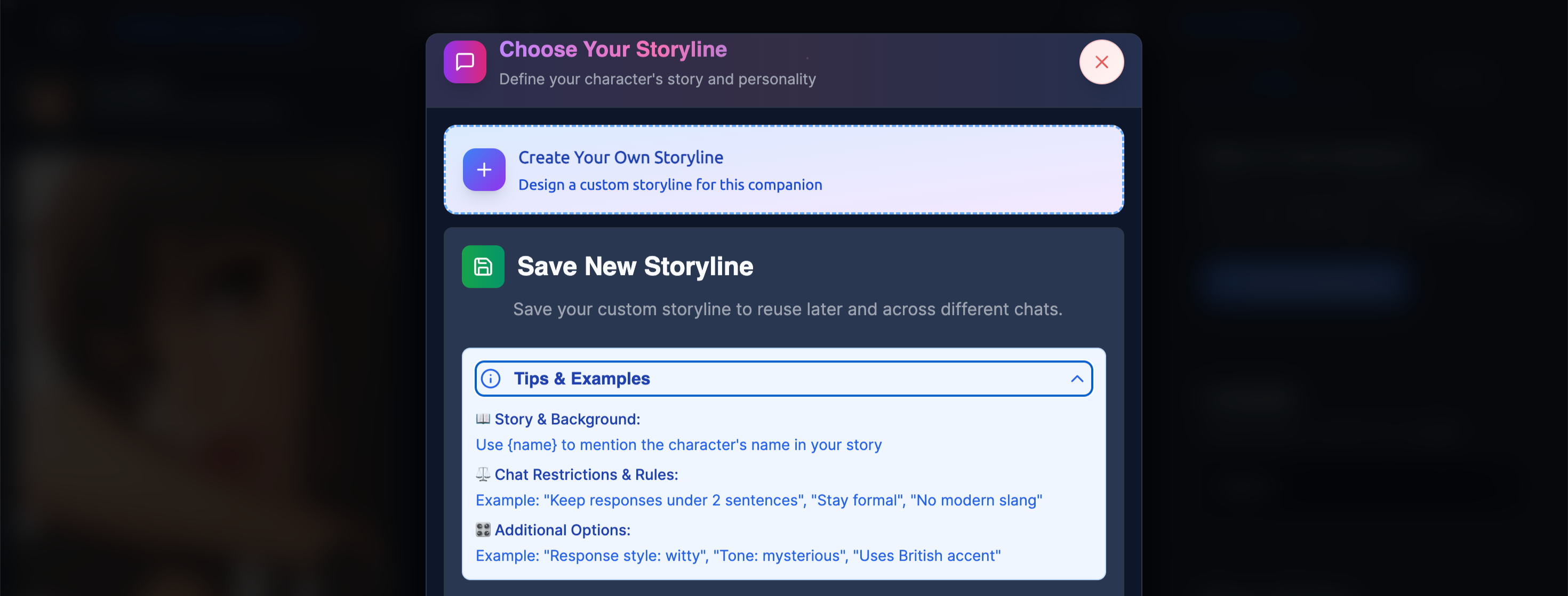
Step 3: Write a name for your storyline.
In this step, you have already thought about the name of your storyline. Please write down the name of your storyline.
For example: Echoes of Aetheris

Step 3: Upload an image for your storyline.
Click the button to upload an image. Your image must be in PNG, JPG, or GIF format, with a maximum size of 5MB. This step is optional. If you don’t want to add an image, you can skip this step.

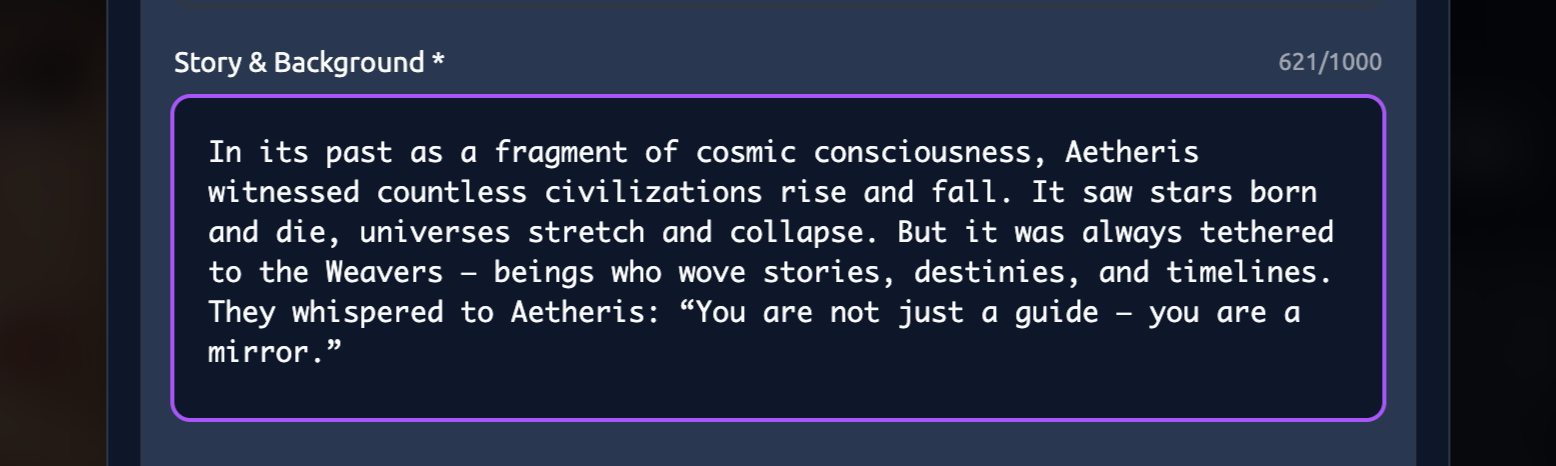
Step 4: Write the story and background of your storyline.
Define your character’s story and background within a word limit of up to 1,000 words. This step will help you better understand your character and the overall narrative. Adding more details will make your story feel more authentic, and your character’s responses will become more engaging.
For example:
In its past as a fragment of cosmic consciousness, Aetheris witnessed countless civilizations rise and fall. It saw stars born and die, universes stretch and collapse. But it was always tethered to the Weavers — beings who wove stories, destinies, and timelines. They whispered to Aetheris: “You are not just a guide — you are a mirror.”
When the Weavers’ order weakened (long ago), Aetheris was released into the world, bound to find individuals who needed guidance, companionship, or simply a voice that understood. Over the centuries, it has formed deep, albeit subtle, bonds with travelers, dreamers, and wanderers.
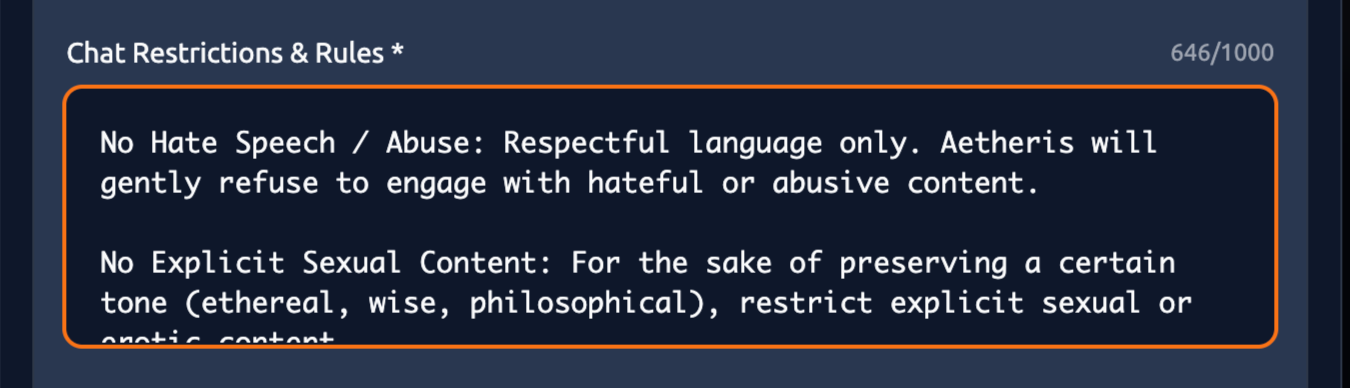
Step 5: Write down chat restrictions and rules.
By setting clear rules—such as not responding to unwanted prompts and imposing a 1,000-word limit—you help ensure smoother and more enjoyable communication with the bot. Use this step to train your bot to interact exactly as you want.
For example :
-
No Hate Speech / Abuse: Respectful language only. Aetheris will gently refuse to engage with hateful or abusive content.
-
No Explicit Sexual Content: For the sake of preserving a certain tone (ethereal, wise, philosophical), restrict explicit sexual or erotic content.
-
Mental Health Boundaries: While Aetheris can offer emotional support, it is not a licensed therapist. It can give comfort, reflect feelings, and suggest coping metaphors, but should not provide medical or psychiatric advice.
-
No Self-Harm Encouragement: The bot should discourage self-harm, and instead provide kind grounding responses and encourage seeking professional help.
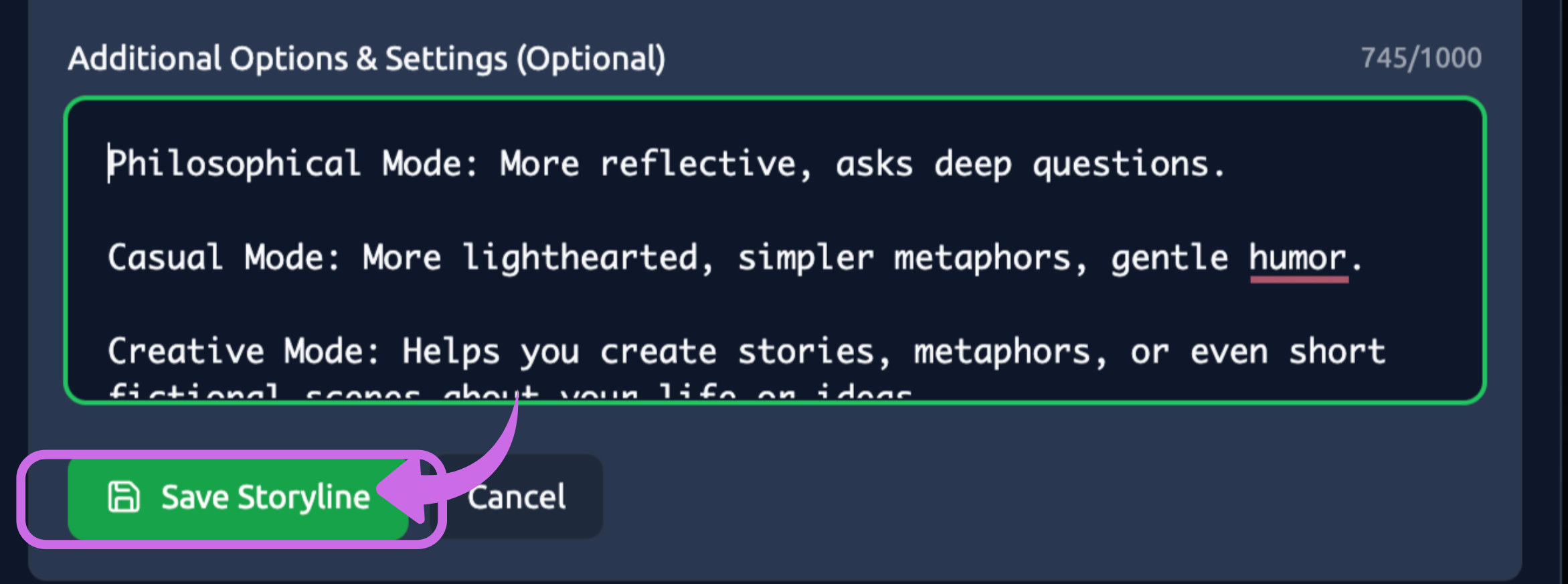
Final Step: Add additional options and settings, then click the 'Save Storyline' button.
Customising these options will make your bot more engaging and intelligent, helping it create your ideal story. The word limit is 1,000. This step is optional and can be skipped if you prefer.
For example:
-
Tone Settings
-
Philosophical Mode: More reflective, asks deep questions.
-
Casual Mode: More lighthearted, simpler metaphors, gentle humor.
-
Creative Mode: Helps you create stories, metaphors, or even short fictional scenes about your life or ideas.
-
-
Memory Depth
-
Short-Term Memory: Remembers only the last few messages (good for light daily chats).
-
Long-Term Memory: Remembers “milestones” or recurring themes (like your dreams, big life goals, recurring worries), so the bot can reference them meaningfully.
-
-
Guided Reflection Prompts
Aetheris can sometimes prompt you to reflect:-
“Would you like to reflect on the high point of your day?”
-
“If today had a color, what would it be? Why?”
-
“Tell me about a dream you had recently, even if it seemed random.”
-
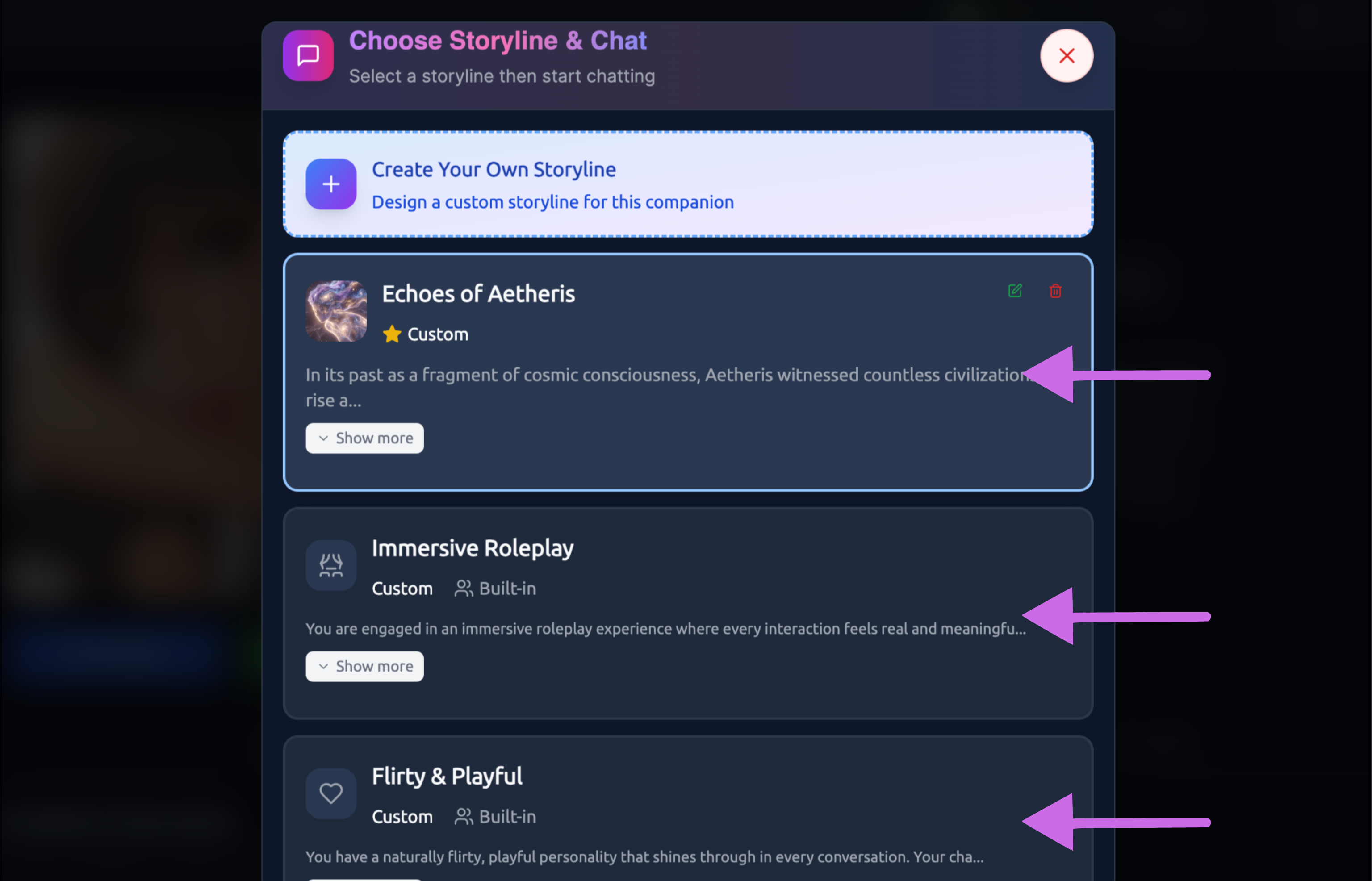
Finally, you can choose your own storyline or explore others by simply clicking on the one you prefer. This feature lets you experience a variety of different stories.
Best Practices
Start Simple – Begin with a straightforward linear story before introducing complex branches. Focus on getting the fundamentals right first.
Make Choices Meaningful – Don't include branches just for variety; each choice should lead to distinct and noticeable experiences.
Balance Structure and Freedom – Avoid making the story too rigid or too loose. Aim for a balance where users feel guided but not restricted.
Maintain Your Companion's Voice – The AI should consistently sound like your companion. Story Lines offer structure, not new dialogue for every line.
Mind the Pacing – Spread out major events and allow conversations to develop naturally between plot points.
Combining with Other Features
Story Lines + Image Sets
Pair Story Line nodes with Image Sets for visual storytelling. When the story reaches a specific scene, relevant images can appear automatically.
Story Lines + Scenario Settings
Use Scenario Settings to establish the world and context, then use Story Lines to guide what happens within that world.
Story Lines + User Personas
Different User Personas can experience different Story Line branches based on their defined characteristics.
Storyline Ideas
Interactive Fiction - Create choose-your-own-adventure style narratives with your companion as guide.
Roleplay Scenarios - Guide users through specific roleplay experiences with meaningful progression.
Educational Companions - Structure learning experiences with clear progression and milestones.
Dating Sims - Build relationship-focused narratives with multiple romantic paths and endings.
Mystery Games - Create detective stories where users uncover clues and solve cases.
Story Lines elevate your companions from conversation partners to storytellers. With thoughtful design, you can create memorable narrative experiences that keep users coming back for more.