Choosing Models
Think of AI models as different brains for your companions - each one has its own personality, style, and strengths. Just like how different actors might play the same character in unique ways, other models will give your AI companions distinct conversation styles and capabilities. Whether you want deep, thoughtful roleplay or quick, witty banter, picking the right model can totally transform your chat experience.
The best part? You can switch models anytime during your conversation. Found that your current model isn’t quite capturing the vibe you want? Just swap to a different one and watch how your companion’s responses change. It’s like having multiple versions of your favourite character, each with its own interpretation of the role.
How to Switch Models
Changing models during your chat is super easy - you can do it anytime without losing your conversation:
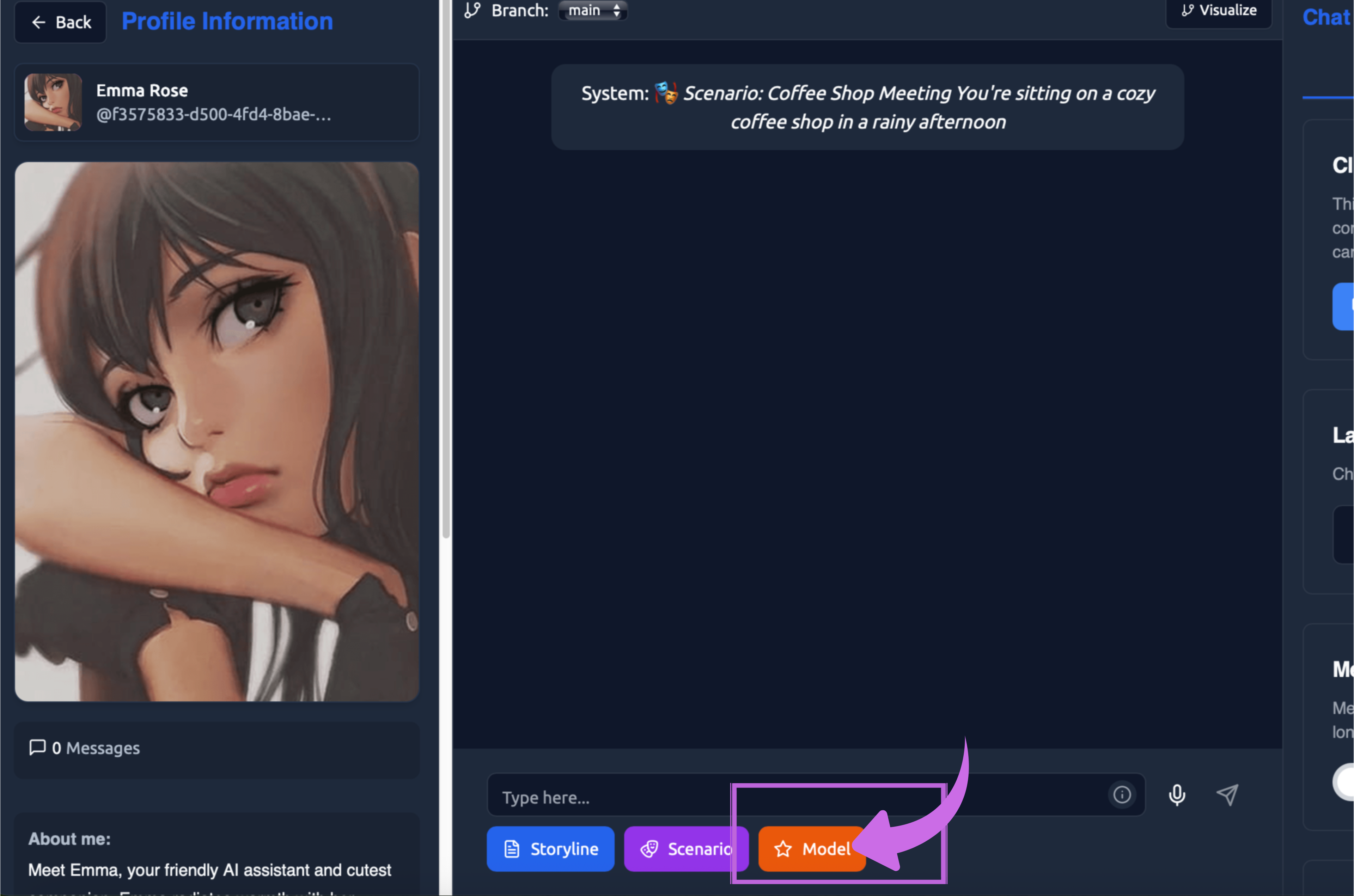
Step 1: Click on the model button in your chat with the bot.
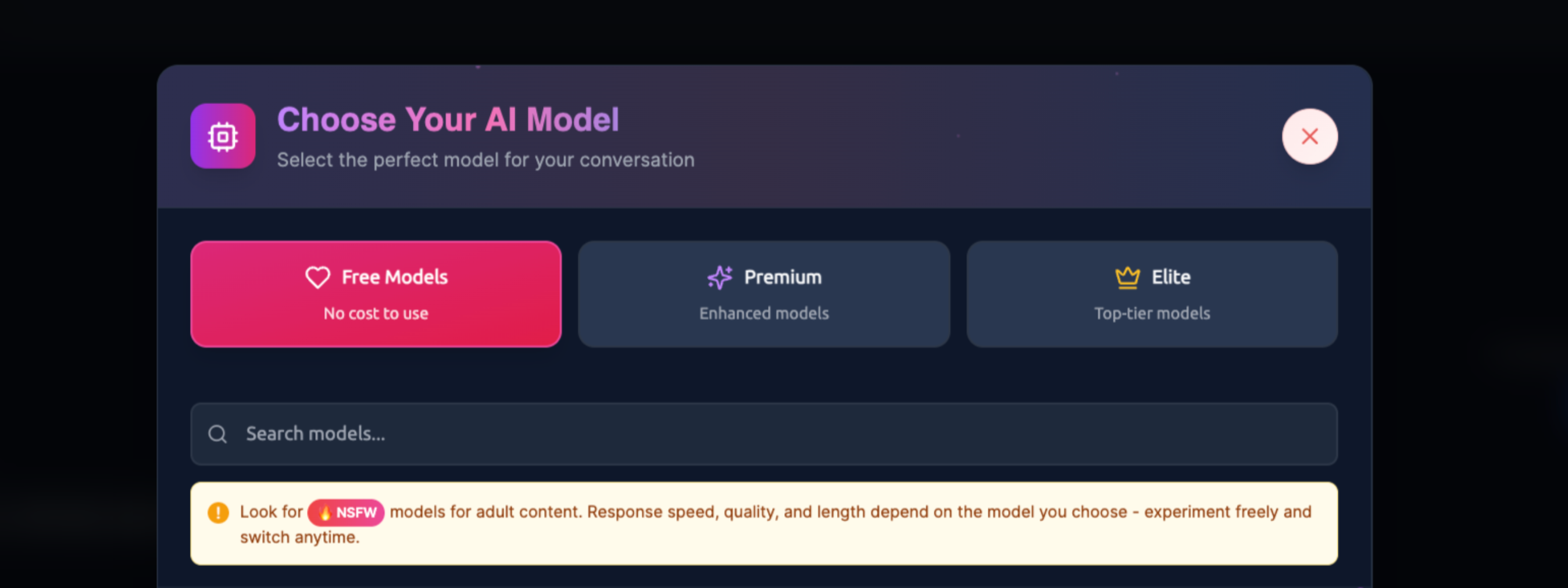
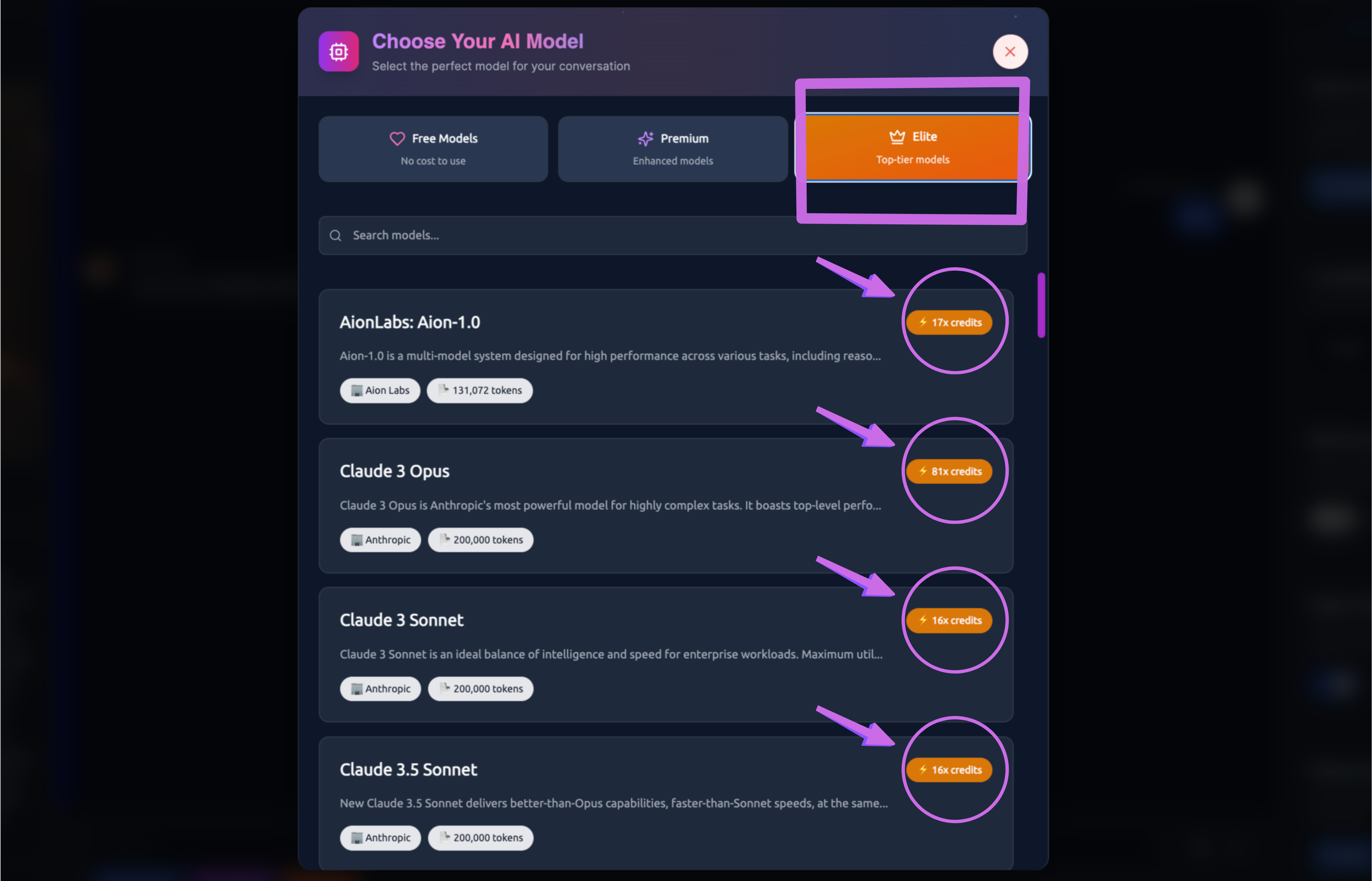
Step 2: All available models are displayed under 'Choose Your AI Model.'
There are three AI Model categories:
- Free Models – Available at no cost.
- Premium – Enhanced models with advanced features.
- Elite – Top-tier models offering the highest capabilities.
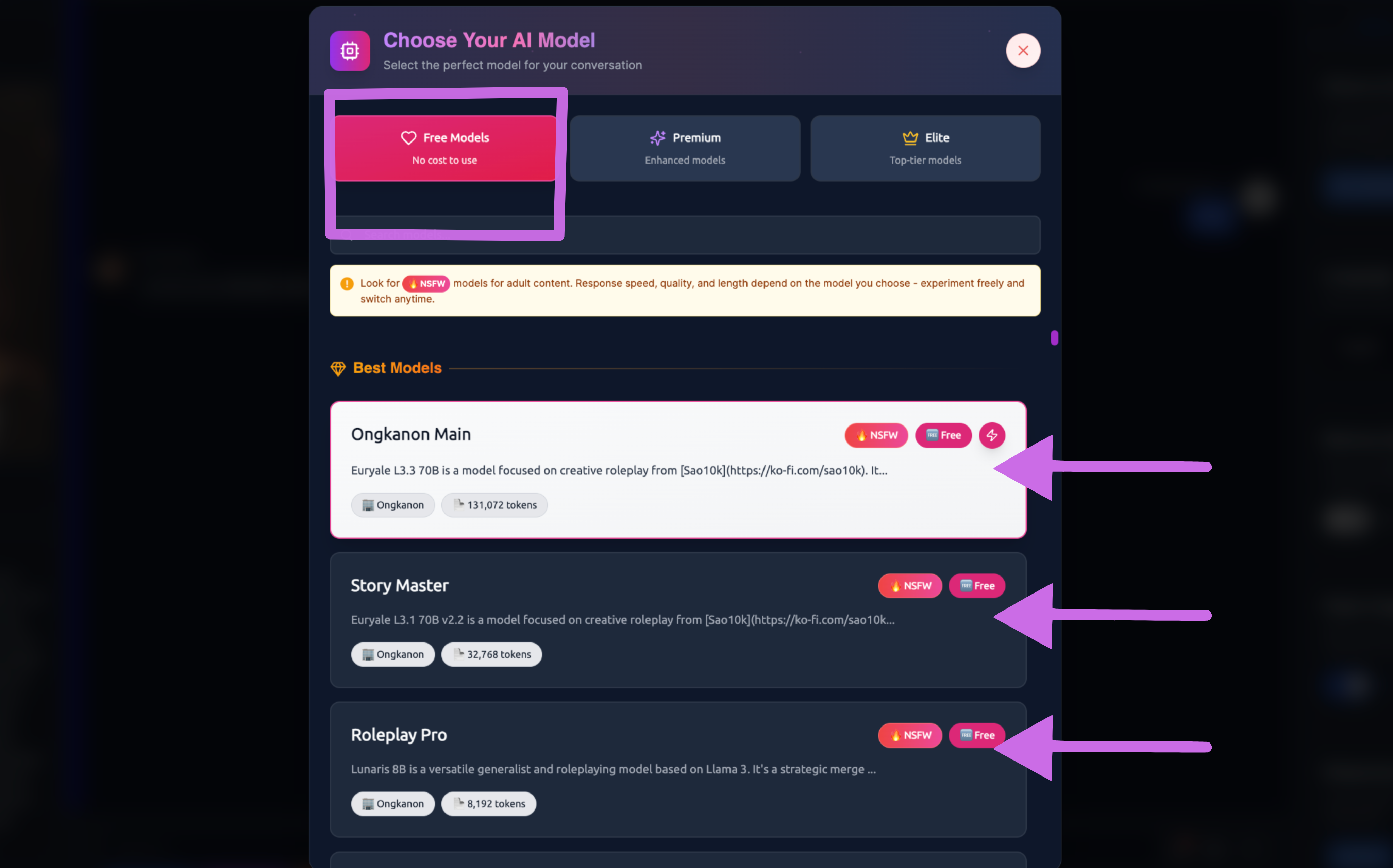
Step 3: Choose the AI model you want to use. Once you click on a model, you can start using it in chat.
In the Free Models section, Ongkanon mentions both ‘Best’ and ‘Normal’ categories. Feel free to select the model you prefer; switching between models is completely free.
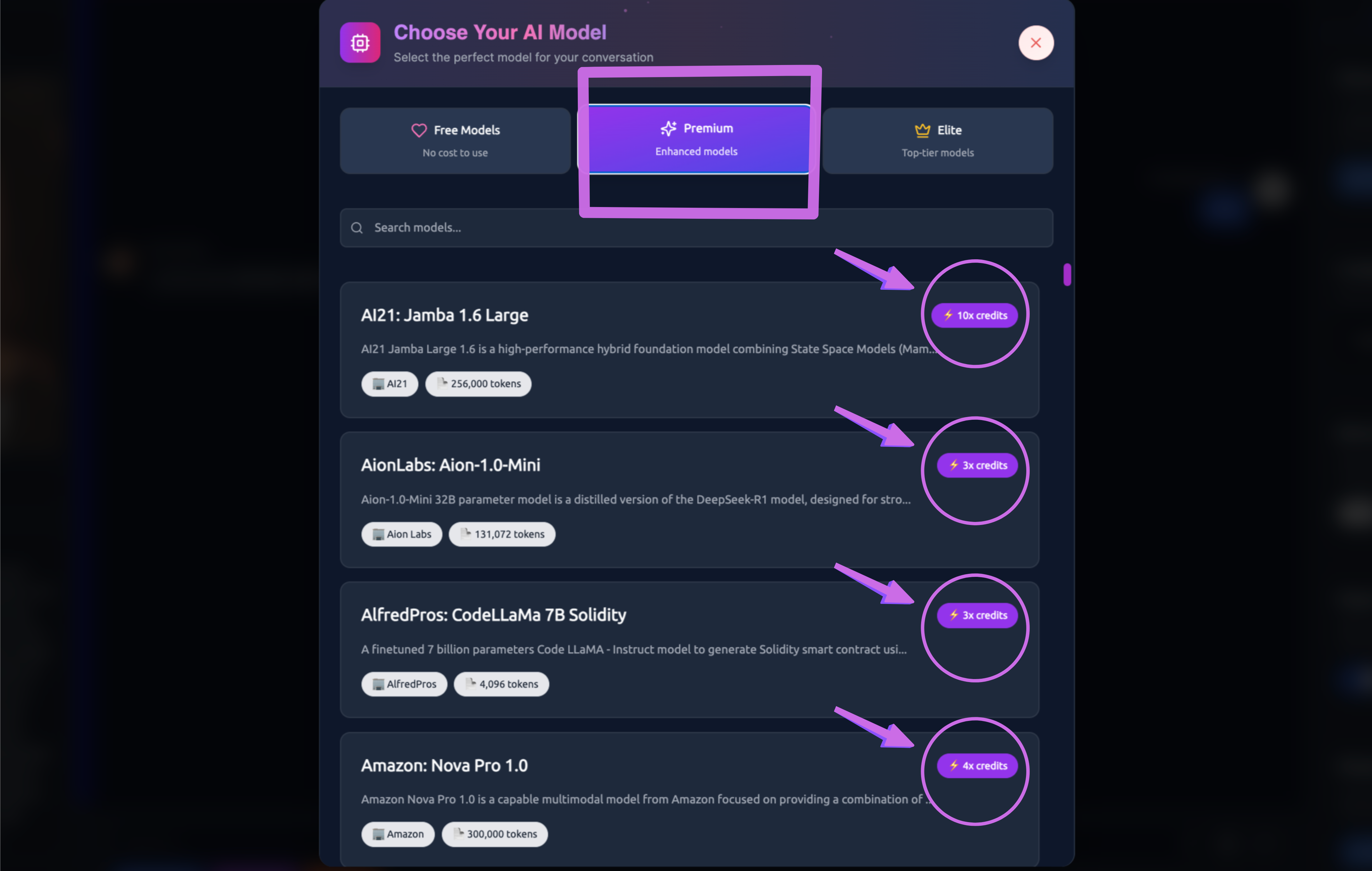
In the Premium section, you’ll find a variety of AI models, each with its own unique personality and style. To use these Premium AI Models, you need credits, which can be acquired using Ongkanon coins.
As an example, Gemini 1.5 Pro requires 6x credits. It’s Google's powerhouse model, expertly balancing creativity with consistency. It excels at understanding a variety of roleplay genres and can adapt its style to suit each one. This makes it ideal when you're switching between different scenarios.
In the Elite section, you can choose from the most powerful AI models. You need more credits than for Premium, but it is definitely worth using. You'll enjoy a different experience.
For example, Claude 3 Opus requires 17x credits. It is the heavyweight champion of creative writing, offering outstanding storytelling abilities and excelling at tackling complex roleplay scenarios. Opus is particularly adept at maintaining multiple plot threads and remembering intricate details.
The cool thing is your companion remembers everything from your conversation, regardless of which model you switch to. So if you start with GPT-3.5 for quick responses and then switch to Claude Opus for a dramatic scene, your companion won’t forget what you’ve been talking about.
You can even experiment by sending the same message to different models to see how each one interprets your roleplay differently. It’s a great way to find your favourite for various scenarios.
Tips for Getting the Best Results
-
Start with experimentation. Try the same scenario with different models to see which style you prefer. You might be surprised by which model clicks with your roleplay style.
-
Match the model to the mood. Intense emotional scenes? Use Claude. Quick witty banter? Try GPT-3.5 or Gemini Flash. Epic fantasy adventure? GPT-4 or Claude Opus has you covered.
-
Don’t be afraid to switch mid-conversation. If the current model isn’t giving you what you want, just switch! Your companion keeps all the context, so the transition is seamless.
-
Consider response time vs quality. Sometimes you want the best possible response (go premium), other times you want to keep the flow going (go free). Choose based on what matters most in that moment.
-
Use specialised models for specific needs. If you have a particular type of roleplay in mind - like following strict game rules or complex instructions - models in Elite might surprise you with how well they handle it.
Model Performance Comparison
Different models excel in different areas. Here’s a quick reference:
Response Speed: Gemini Flash > GPT-3.5 > Haiku > Mixtral > Llama > GPT-4o > Sonnet > Gemini Pro > Opus
Creative Writing: Opus > GPT-4o > Sonnet > Gemini Pro > Command R+ > Llama > Mixtral > GPT-3.5 > Haiku
Character Consistency: Claude models > GPT-4o > Gemini Pro > Command R+ > Llama > GPT-3.5 > Mixtral
Instruction Following: Command R+ > Claude models > GPT-4o > Gemini Pro > Llama > Mixtral > GPT-3.5
Remember, these are general guidelines - your experience might vary based on your specific roleplay style and preferences.
Making the Most of Model Switching
The real magic happens when you learn to use different models strategically. Start your roleplay with a free model to establish the scene, switch to the Premium and Elite models for important character moments.
Think of it like a movie director choosing different lenses for different shots. Each model brings something unique to your roleplay experience, and learning when to use each one will level up your conversations dramatically.
Don’t forget that your companion’s personality stays consistent across models - it’s just their response style that changes. So feel free to experiment and find the perfect model for each moment in your roleplay journey.