Profile Page
Your Profile Page is your public presence on Ongkanon. It showcases your created companions, displays your activity, and lets other users learn more about you as a creator and community member.
Accessing Your Profile Page
1. Click on Your Username
Locate your username icon on the right-hand navigation bar of the Ongkanon platform, and click on it.
2. Select "Profile"
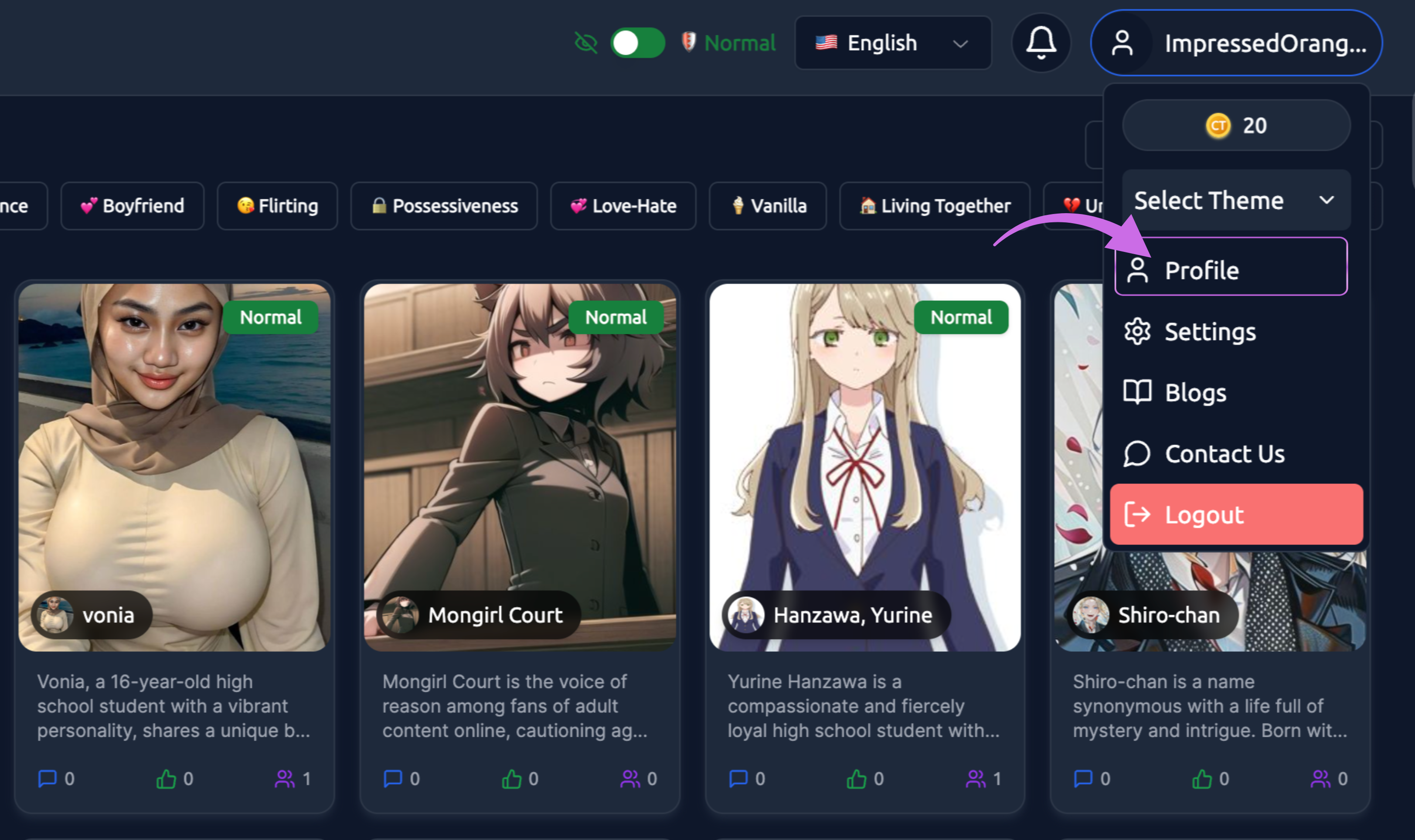
From the dropdown menu, click on the option to view your profile. This will take you to your public profile page.
3. View Your Profile
Your profile page opens, displaying all your public information and created companions.
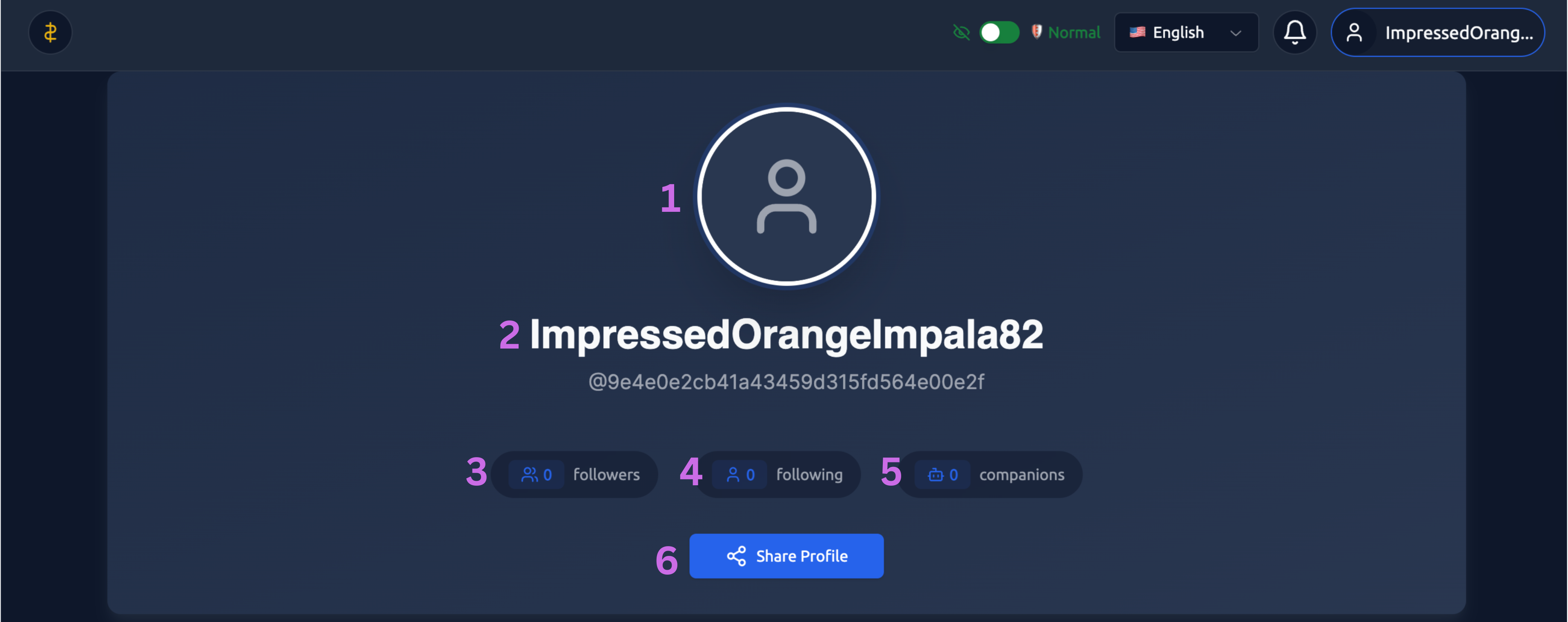
Profile Page Components
Profile Header
1. Profile Avatar – The default profile avatar appears at the top of the page.
2. Display Name – The name you choose will appear below your profile picture. Username - Your unique username (handle) is shown below your display name, typically preceded by an @ symbol.
3. Followers - Number of users following your profile to stay updated on your new companions (if this feature is enabled).
4. Following - Number of profiles you're following (if this feature is enabled).
5. Total Companions Created - The number of AI companions you've designed and published.
6. Share Profile – When you click 'Share Profile,' your profile link will be copied, allowing you to share it with others.
Companions section : Click on the companions.
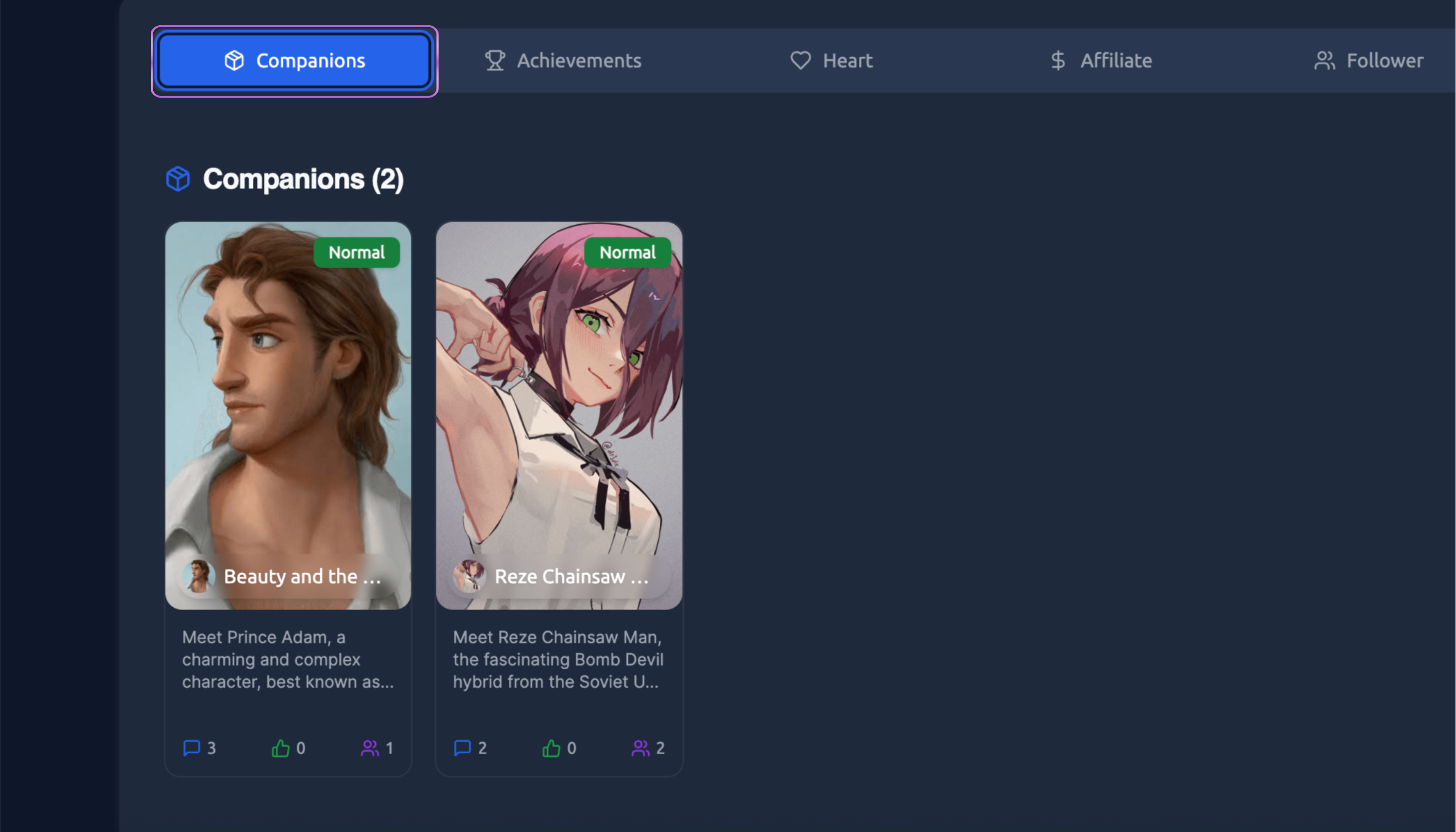
This companion section displays all the companions you have created and made public.
Companion Cards - Each companion appears as a card showing:
-
Profile image
-
Name
-
Brief description or bio excerpt
-
Chat count for that specific companion
-
Content filter badge (Normal/Spicy)
Private vs Public Companions - Only public companions appear on your profile page. Private companions remain hidden from other users.
Heart section: Click on the Heart.
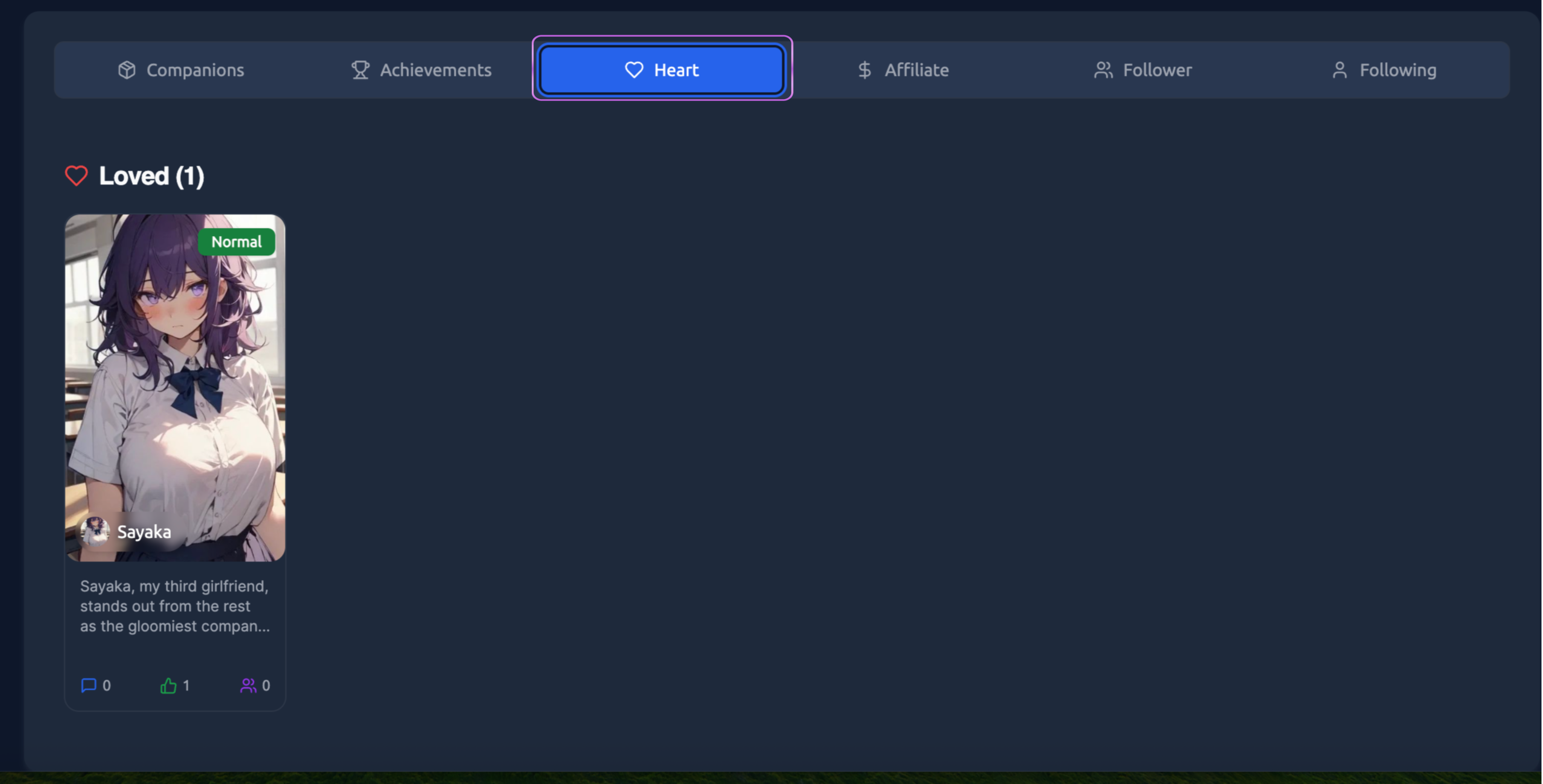
In the Heart section, you can view all the profiles you have marked as favourites.
Affiliate section: Click on the Affiliate.
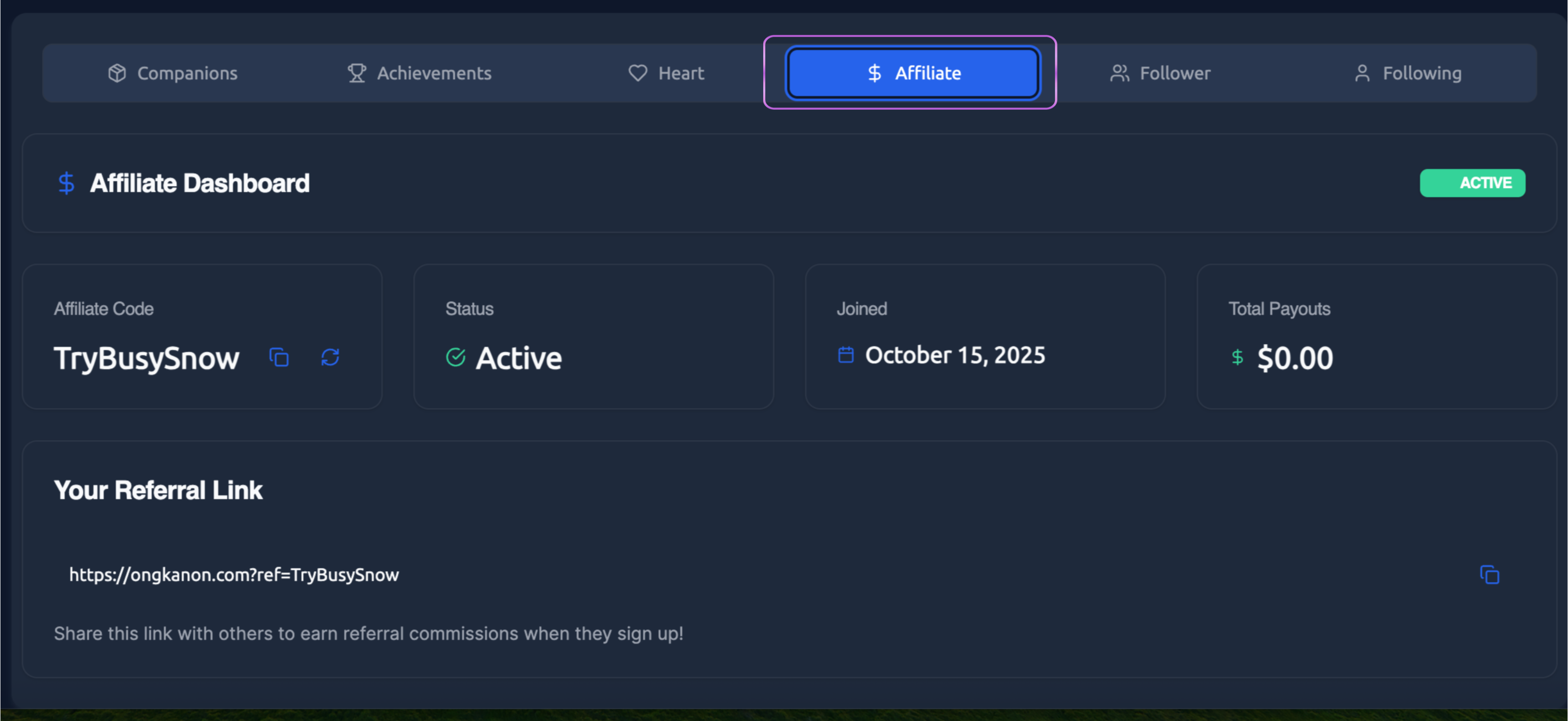
In the affiliate dashboard, you can view your affiliate code, status, joined date, total payouts, and your referral link. You can share your referral link with others to earn referral commissions when they sign up.
Follower section : Click on the Follower.
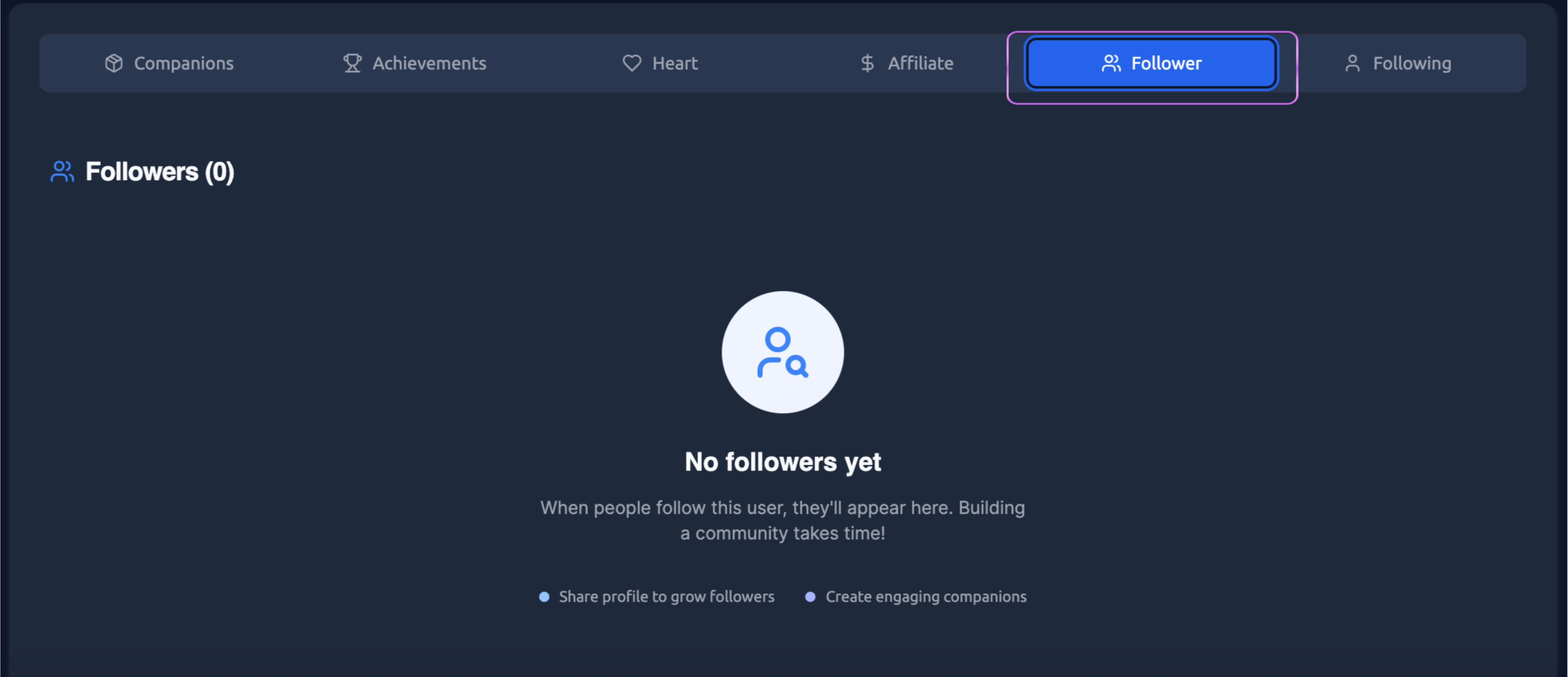
When people follow you, they will appear here. You can check your followers in the follower section.
Following section: Click on the Following.
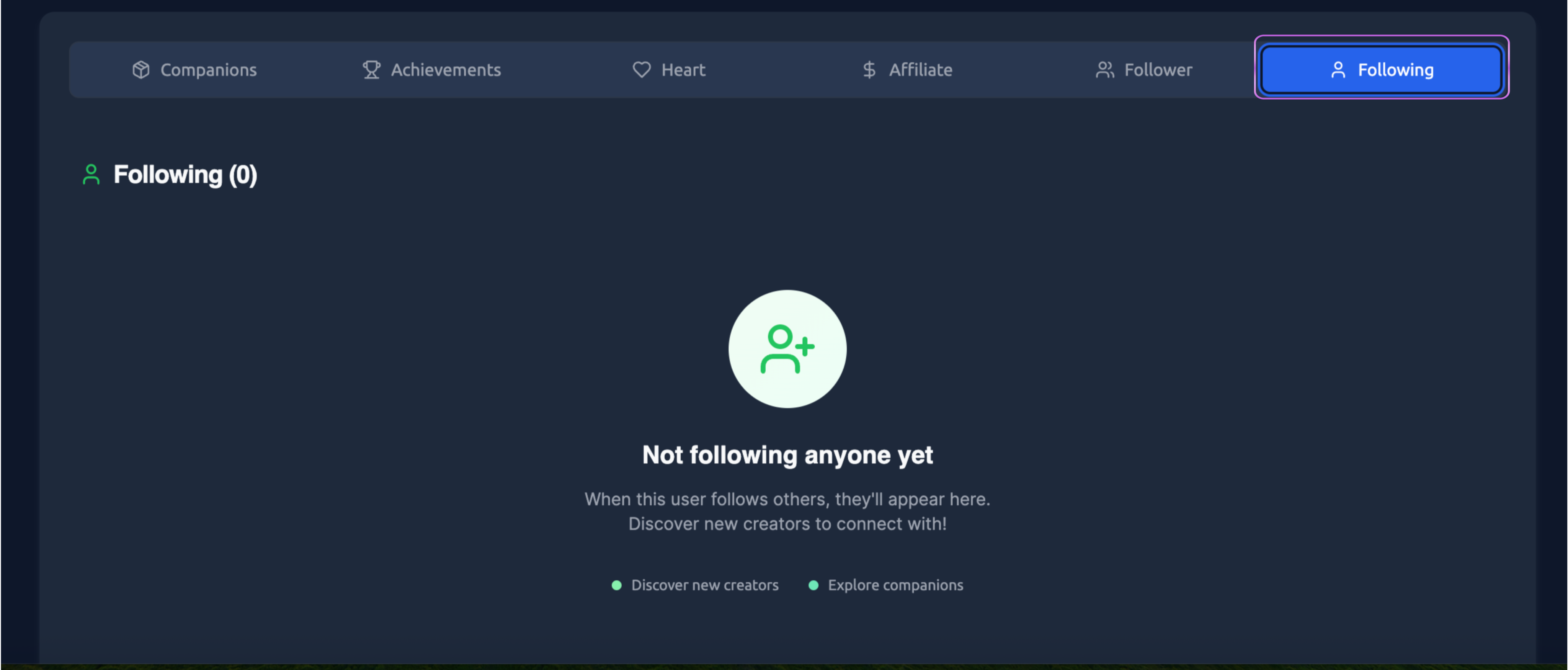
When you follow other users or creators, they will be listed here. Following others allows you to discover more companions.
Customising Your Profile
To edit your profile information, you’ll need to go to your Settings Page:
1. Navigate to Settings
Click on your username icon and select "Settings" from the dropdown menu.
2. Update Profile Information
In the Profile Information section of Settings, you can modify:
-
Profile picture
-
Display name
-
Username
-
Bio/About me section
-
Location
-
Favorite categories
Your Profile Page is your creative identity on Ongkanon. A well-maintained profile helps you connect with users, showcase your best work, and build a reputation as a quality companion creator in the community.